Posted on Leave a comment

How to Increase Ecommerce Conversion Rate

Boosting your ecommerce conversion rate isn’t about guesswork. It’s a methodical process: first, you need to diagnose your current performance by digging into the right metrics. Then, you can start rolling out targeted on-site fixes—like amping up page speed or simplifying checkout—and finally, you continuously test and refine everything.

The whole point is to turn more of the visitors you already have into paying customers.

Establishing Your Conversion Rate Baseline

Before you can start improving your conversion rate, you need a crystal-clear picture of where you stand today. Jumping straight into “fixes” without a proper diagnosis is like driving without a map. Sure, you’re moving, but you have no idea if you’re heading in the right direction.

This first step is the bedrock of your entire strategy. It’s all about getting into your store’s data to establish a solid baseline that all your future optimization efforts will be measured against. We’ll find your current rate, walk through your sales funnel, and pinpoint exactly where customers are dropping off.
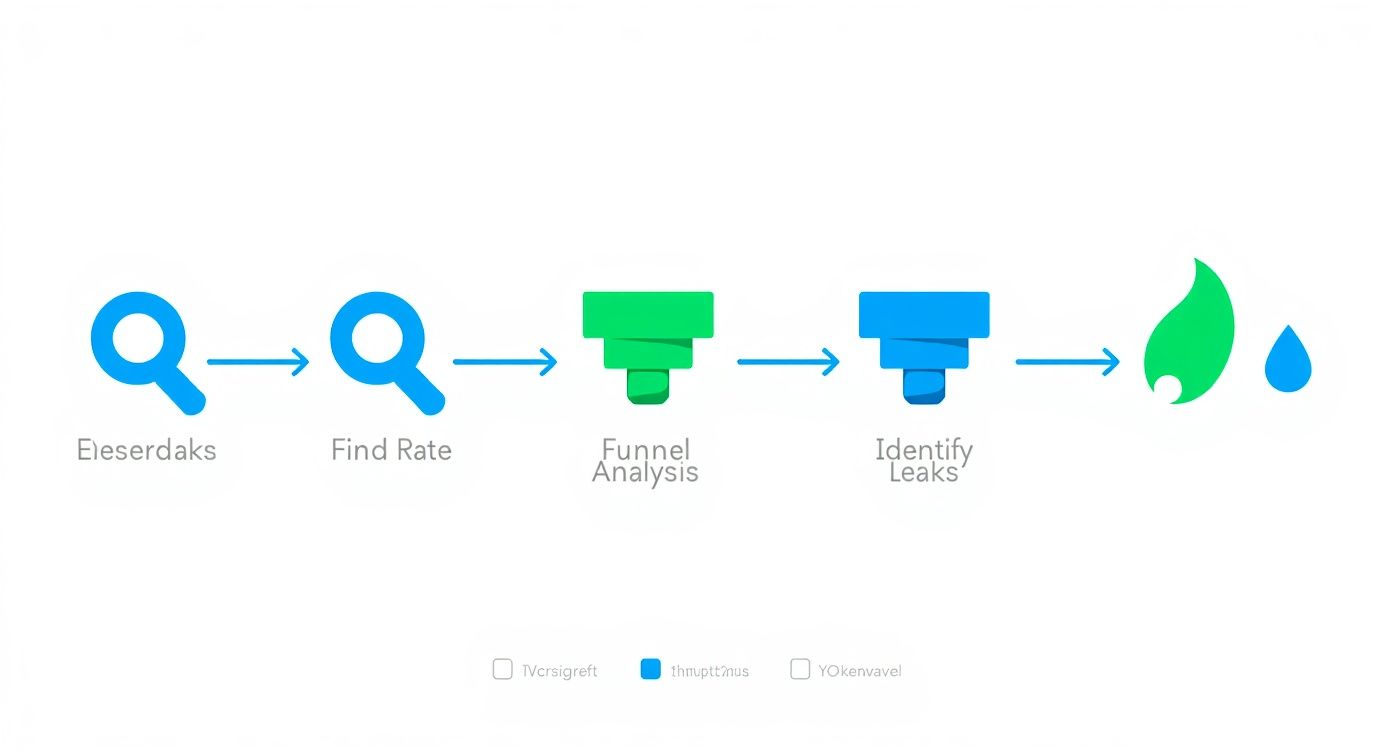
Infographic about how to increase ecommerce conversion rate

This simple, three-part process is your starting point: find the rate, analyze the funnel, and identify the leaks. Following this path ensures you’re focusing your efforts where they’ll make the biggest impact.

Finding Your True Conversion Rate

At its core, your ecommerce conversion rate is just the percentage of visitors who complete a desired action—usually, making a purchase. You can pull this number from tools like Google Analytics 4. But a number without context is meaningless.

There’s no single “good” conversion rate that works for every store. Your performance is tied directly to your industry, price point, and even where your traffic is coming from.

For example, the global average ecommerce conversion rate tends to float between 2% and 4%. But that’s a massive range. Dig a little deeper, and you’ll see huge variations.

Ecommerce Conversion Rate Benchmarks by Industry

This table gives you a quick reference for how average conversion rates can differ across various ecommerce sectors. It’s a great starting point to see how your store stacks up.

Industry Average Conversion Rate
Personal Care 6.8%
Arts & Crafts 5.0%
Food & Beverage 4.9%
Pet Care 4.1%
Apparel & Fashion 3.8%
Electronics 3.6%

As you can see, what’s considered “good” for an electronics store is pretty different from a personal care brand. On top of that, device type plays a huge role. Desktop users tend to convert at around 4.8%, while mobile users are down at 2.9%—even though phones drive most of the traffic. You can explore more about these ecommerce benchmarks to get a feel for where you should be aiming.

Micro and Macro Conversions

To get the full story, you have to look beyond just the final sale. It helps to think in terms of two types of conversions:

  • Macro-conversions: This is the big one—the final purchase. It’s the primary metric that drives revenue and the one everyone obsesses over.
  • Micro-conversions: These are the smaller, crucial steps a shopper takes on their way to buying something. Think: adding an item to their cart, signing up for your newsletter, or creating an account.

Why bother tracking these smaller actions? Because they’re leading indicators. A sudden drop in ‘add to cart’ clicks can signal a problem with a product page long before you see a dip in your overall sales numbers.

By monitoring both micro and macro-conversions, you get a much more detailed understanding of the entire customer journey, not just the finish line. It lets you spot friction points early and fix them before they kill your bottom line.

Funnel Analysis and Key Metrics

A funnel analysis is just a way of visualizing the path your customers take, from the moment they land on your site to the second they complete a purchase. The real goal here is to identify where the biggest drop-offs are happening.

Are tons of people abandoning their carts? Are they bailing from a specific product page? Pinpointing these leaks tells you exactly where to focus your energy for the biggest wins.

While traditional tools give you the raw data, they leave the heavy lifting of analysis to you. This is where a tool like our own, agents24x7, can make a huge difference. Instead of you manually digging through Google Analytics reports, our E-Commerce Sales Agent automates the entire diagnostic process. It conducts a full funnel analysis, identifies the most significant leaks, and hands you a prioritized list of what to fix first. This is a massive advantage over competitor analytics tools that just present data without providing a clear, actionable game plan.

Optimizing Your Digital Storefront Experience

Think of your e-commerce site as your flagship retail store. The layout, the flow, the way products are arranged—every single detail guides a customer’s journey and nudges them closer to making a purchase. This is your digital storefront, and getting the experience right is foundational to improving your conversion rate.

A person optimizing their ecommerce store on a laptop, showing graphs and product images

The aim is to build a seamless path from that first click all the way to the checkout confirmation page. It all starts with the one non-negotiable element of your entire online presence.

Prioritize Blazing-Fast Site Speed

Forget about slick copy or stunning images for a moment. You have to nail site speed first. It is the single most critical technical factor that impacts your conversion rate. In e-commerce, every millisecond truly matters.

Here’s a number that should get your attention: a one-second delay in page load time can tank conversions by 12%. If your site takes three seconds to load, you could be losing over a third of your potential customers before they’ve even seen what you sell. This isn’t a small leak; it’s a gaping hole in your revenue bucket.

A slow website doesn’t just frustrate visitors—it signals that your store might be unprofessional or even untrustworthy. Fixing speed should always be your top priority, as a fast site amplifies the effectiveness of every other optimization you make.

While plenty of tools can flag speed issues, they usually just spit out a technical report and leave your team to decipher the complex fixes. This is where agents24x7 changes the game. Our platform doesn’t just identify the problems; our E-Commerce Sales Agent automates a full technical audit and gives you a prioritized list of actionable fixes. It’s the difference between a competitor tool giving you a diagnosis and our agent handing you a complete, step-by-step treatment plan.

Craft Product Pages That Truly Sell

Once your site is lightning-fast, the focus shifts to your product pages. This is where the real buying decisions are made. A weak product page fails to build confidence or answer the visitor’s most important question: “What’s in it for me?”

To build pages that actually convert, you need to zero in on these key elements:

  • High-Resolution Imagery and Video: Online shoppers can’t touch or feel your product, so your visuals have to do all the heavy lifting. Use multiple high-quality photos from every angle, show the product in a real-world context, and throw in a short video if you can. Over 75% of shoppers say product photos are a major influence on their decision.
  • Persuasive, Scannable Copy: Don’t just list features—sell the benefits. Use bullet points to make key advantages pop and write a compelling description that tells a story. Good copy anticipates and answers potential objections before they’re even asked.
  • An Unmissable Call-to-Action (CTA): Your “Add to Cart” button should be impossible to ignore. It needs to stand out with a contrasting color, and the text must be clear and direct. Never make a customer hunt for it.

These pieces work together to create a powerful sales pitch that turns a casual browser into a committed buyer. For more advanced tactics, check out our guide on how to boost ecommerce conversions with AI agents, which explores how automation can optimize these pages at scale.

Implement Smart Merchandising Tactics

Great merchandising isn’t just about what you display; it’s about how you present it to maximize value. Smart upselling and cross-selling can seriously lift your Average Order Value (AOV) without feeling pushy.

Here’s how to think about it:

  • Upselling: This is about offering a better version of the product the customer is already looking at. For example, if they’re viewing a 16GB tablet, you could show them the 32GB model for “just $30 more.”
  • Cross-selling: This means suggesting complementary items that make the original product even better. When someone adds a camera to their cart, you might suggest a memory card and a carrying case at checkout.

The trick is to make these suggestions feel genuinely helpful, not aggressive. When you get it right, you’re not just making a bigger sale—you’re enhancing the customer’s experience by helping them get everything they need. This approach builds loyalty and drives more revenue from every transaction.

Building Unshakeable Trust and Social Proof

In the faceless world of online shopping, trust is your most valuable currency. A potential customer can’t physically touch your product or chat with a salesperson, so they’re hunting for digital clues to decide if your store is legit and if your stuff is worth their money. Nailing this is a direct line to a better conversion rate.

This isn’t just a vibe; it’s backed by cold, hard data. When shoppers see proof that others have bought from you—and were happy about it—their hesitation starts to fade. That’s the power of social proof.

A collage of customer reviews and five-star ratings, creating a sense of trust and community.

Harness the Power of User-Generated Content

User-generated content (UGC) is any content—reviews, photos, videos—created by your actual customers, not your marketing team. For an e-commerce store, this usually means customer reviews and real-life product photos. And its impact is massive.

Featuring UGC like customer reviews can directly boost conversion rates by 8.5%. Think about it: 99% of global shoppers actively look for reviews before buying. Social proof is non-negotiable. It’s one of the main reasons so many stores get stuck with conversion rates under 2%—they just don’t have enough of it. You can dig into more data in these conversion rate optimization statistics.

To make this work, you need a plan.

  • Ask for reviews: Set up automated emails to ask for feedback a week or two after the product arrives.
  • Showcase customer photos: Encourage people to share photos of them using your product on social media with a unique hashtag. Then, get those images onto your product pages.
  • Use reviews to answer questions: Feature reviews that tackle common concerns head-on, like sizing, materials, or how to use the product.

Display Essential Trust Signals

Beyond reviews, shoppers are subconsciously scanning your site for other signals that prove you’re a professional, secure operation. These small badges and policies have a surprisingly big impact on a visitor’s decision to buy.

Make sure these elements are easy to spot, especially on your product and checkout pages:

  • Security Badges: Logos from services like Norton, McAfee, or your SSL certificate provider tell customers their payment info is safe.
  • Accepted Payment Methods: Showing logos for Visa, Mastercard, PayPal, and Apple Pay adds instant familiarity and credibility.
  • Clear Policies: Your shipping, return, and privacy policies need to be simple to find and even simpler to understand. Any ambiguity here just creates doubt.

A shopper’s journey is a series of tiny decisions. Every trust signal you provide removes a little piece of friction, making it that much easier for them to click “buy.” Don’t make them work to trust you.

Make Support Accessible and Visible

Nothing kills a potential sale faster than the fear that you’ll be on your own if something goes wrong. Making your customer support visible and easy to access is a massive trust signal. It proves you stand behind what you sell.

This is absolutely critical for answering pre-sale questions. If someone has a quick question about sizing or shipping times, an immediate answer can be the difference between a sale and another abandoned cart. Offering live chat or a prominent contact number shows there are real humans ready to help. You can even automate Shopify customer support with AI chatbots to provide instant answers around the clock.

While many competitor tools can tell you if you’re missing a security badge, agents24x7 takes a much smarter approach. Our E-Commerce Sales Agent doesn’t just check a box. It analyzes user behavior heatmaps and session recordings to figure out the best placement for your reviews and trust signals. For example, it might discover that adding a “Money-Back Guarantee” badge right under the “Add to Cart” button is the key to reducing hesitation. That’s the kind of data-driven optimization that sets it apart from other tools offering generic, context-free advice.

Designing a Frictionless Checkout Flow

The checkout is the final hurdle. It’s that critical moment where a potential sale becomes real revenue—or gets lost forever. All your hard work on product pages and trust signals comes down to this single process. Yet, this is precisely where an astonishing 71.3% of shoppers abandon their carts, often because the experience is confusing, long, or just plain clunky.

A customer completing a seamless checkout on a mobile phone.

Building a truly frictionless checkout is one of the most direct ways to boost your e-commerce conversion rate. It’s all about removing every possible point of hesitation and making the payment process feel effortless and secure.

Simplify the Path to Purchase

Every extra step or unnecessary question you ask during checkout is another chance for a customer to have second thoughts. The goal is to make the process so smooth that they barely have to think about it.

A great place to start is by offering a guest checkout option. Forcing users to create an account is a notorious conversion killer; in fact, 27% of users will abandon a form if it’s too long or complicated. Let them buy now and give them the option to create an account later.

Next, you need to be ruthless about minimizing your form fields.

  • Do you really need their phone number?
  • Can you auto-fill the city and state from the zip code?
  • Is the “Company Name” field truly essential for a B2C order?

Expedia famously increased its profits by $12 million just by removing a single, non-essential form field. Each field you eliminate makes the process feel faster and less intrusive.

Offer Modern Payment Options

Your customers have their preferred ways to pay, and not offering them introduces immediate friction. While credit cards are a given, the modern shopper expects far more convenience.

Digital wallets aren’t a “nice-to-have” anymore—they’re a core expectation. Integrating options like Apple Pay, Google Pay, and PayPal can dramatically speed things up, letting users complete a purchase with a fingerprint or face scan. This is especially critical on mobile, where typing in credit card details is a pain.

The best checkout process makes payment feel like a background task, not a chore. The more payment methods you support, the fewer reasons a customer has to abandon their purchase at the last second.

Eliminate Surprise Costs

There is no faster way to destroy trust and lose a sale than by hitting a customer with unexpected costs on the final checkout screen. This “sticker shock” is the number one reason for cart abandonment, hands down.

Be completely transparent with all costs from the very beginning.

  1. Shipping: If you don’t offer free shipping, provide a shipping calculator early in the process—ideally right on the cart page itself.
  2. Taxes and Fees: Clearly itemize any applicable taxes or handling fees before the final payment step. Don’t hide them until the last second.

This kind of transparency manages customer expectations and prevents that negative emotional reaction that comes from feeling misled. It reinforces the trust you’ve worked so hard to build across the rest of your site.

While standard analytics tools like heatmaps can show you where users are clicking, they often don’t explain why they’re dropping off. This is a critical gap that agents24x7 fills. Our platform performs a real-time checkout analysis that goes way beyond generic heatmaps offered by competitors. It can pinpoint the exact form field causing the most abandonments, whether it’s a confusing “Confirm Password” field or a poorly designed shipping address entry. Instead of guessing which part of your checkout is broken, you get a precise diagnosis that other tools simply can’t provide.

Running Data-Driven A/B Tests

Throwing spaghetti at the wall to see what sticks isn’t a growth strategy. Lasting success in e-commerce comes from a deliberate process of continuous, data-driven improvement. This is where A/B testing, or split testing, becomes your secret weapon for boosting that conversion rate.

The idea is straightforward: show two versions of a webpage to two similar groups of visitors at the same time. By tracking which version gets more conversions, you start making decisions based on actual customer behavior, not just a gut feeling. It’s a disciplined approach that builds a culture of optimization, where every single change is a calculated move forward.

Crafting a Strong Hypothesis

Guesswork is the absolute enemy of good A/B testing. Before you even think about changing a button color or a headline, you need a solid, testable hypothesis. Don’t worry, this isn’t a throwback to high school science class. It’s just a simple framework to make you think strategically about why you’re running the test in the first place.

A powerful hypothesis always connects a problem you’ve observed with a specific change and a predicted outcome.

Because we observed [a data-backed problem], we believe that [making a specific change] for [a specific user segment] will result in [a measurable outcome].

Let’s see this in action. Say your funnel analysis shows a ton of mobile users are bouncing from your product pages. A weak hypothesis is just, “Let’s change the ‘Add to Cart’ button.” Yawn. A strong one sounds like this: “Because we observed a 40% bounce rate on mobile product pages, we believe that changing the ‘Add to Cart’ button from grey to bright orange for mobile users will result in a 10% increase in ‘add to cart’ clicks.”

See the difference? This structure makes sure your tests are purposeful and that you know exactly what metric defines success. While our guide on how to increase website conversion rate covers broader strategies, this testing methodology is how you confirm those changes work for your audience.

Deciding What to Test for Maximum Impact

You could test thousands of tiny elements on your site, but you’d get lost in minor tweaks that don’t move the needle. The real trick is prioritizing tests that have the biggest potential to impact your bottom line.

You want to start with the elements that directly influence a customer’s decision to buy.

  • Headlines and Value Propositions: Does your headline actually sell the benefit? Try testing a pain-point-focused headline against one that screams a key benefit.
  • Call-to-Action (CTA) Buttons: It’s about more than just color. Test the copy (“Buy Now” vs. “Add to Basket”), the button’s size, and where it’s placed on the page.
  • Product Imagery: Put a clean studio shot up against a lifestyle photo showing the product in the real world. For some items, a short video can completely change the game.
  • Page Layouts: On your most important pages, don’t be afraid to test bigger changes. What happens if you move your social proof and reviews above the product description? Does it build trust earlier?
  • Pricing and Offers: This is a huge one. Pit a “10% Off” discount against a “Free Shipping” offer and see which one your customers truly value more.

Reaching Statistical Significance

Running a test for a day, picking the “winner,” and calling it a day is a recipe for making bad decisions. You absolutely have to let your test run long enough to reach statistical significance. This is simply a mathematical way of saying you’re confident the results aren’t just a random fluke.

Most A/B testing tools will flag this for you, usually when you hit a 95% confidence level. That means you can be 95% sure that your winning version will keep outperforming the original over the long haul. Making a call before you hit that number is no better than guessing.

The big challenge for most teams is the sheer manual effort this all takes. Traditional tools require you to spot the problem, craft the hypothesis, set up the experiment, and then make sense of the results. This is where agents24x7 is fundamentally different. Our E-Commerce Sales Agent uses the data from its initial audit to proactively suggest high-impact A/B tests for you. It pinpoints the biggest opportunities and formulates the data-backed hypothesis, turning a complex, time-consuming process into a simple, guided workflow that competitor platforms can’t match.

Your Top Conversion Rate Questions, Answered

When you’re trying to get more sales from the traffic you already have, a lot of questions pop up. Let’s tackle some of the most common ones I hear from ecommerce managers who are deep in the trenches of CRO.

What’s a “Good” Conversion Rate, Really?

Honestly, there’s no single magic number. I’ve seen brands thrive at 1% and others struggle at 5%. The idea that everyone should be hitting a universal 2% to 4% is one of the biggest myths in CRO.

A “good” conversion rate is entirely contextual. A store selling high-ticket jewelry will naturally have a lower conversion rate than a brand selling trendy t-shirts. The average order value changes the entire equation.

So, what should you do? Stop chasing industry averages. Instead, look at your closest competitors for a realistic baseline. More importantly, focus on beating your own numbers month-over-month. That steady, incremental growth is a far healthier goal than fixating on a vague, one-size-fits-all percentage.

How Fast Can I Actually See an Improvement?

This one comes down to the scale of your changes. You can get a surprisingly quick read on smaller, tactical tweaks.

If you’re A/B testing something like a new headline or a different color for your “Add to Cart” button, you could see statistically significant results in just a few weeks, provided you have decent traffic.

But the big, game-changing improvements? Those take time. A full checkout redesign or building a library of authentic customer reviews are projects that might take months to fully bear fruit. Think of optimization as a marathon, not a sprint. It’s the consistent, compounding effort that delivers the knockout results over the long term.

What’s Sinking My Product Pages?

Your product page is where the sale is won or lost. If people are dropping off here, it’s almost always because of a few predictable, fundamental user experience failures.

These are the usual suspects I find when auditing underperforming pages:

  • Painfully slow load times: If your page takes more than a couple of seconds to load, you’ve already lost a huge chunk of potential buyers.
  • Lousy product photos: Shoppers can’t touch or feel the product. Blurry, low-res, or single-angle images completely kill their confidence.
  • Weak, generic descriptions: Just listing specs isn’t selling. You have to paint a picture and spell out the benefits for the customer.
  • Shipping cost sticker shock: This is a classic. Hiding high shipping fees until the final step is one of the top reasons people abandon their carts.
  • No social proof: A lack of customer reviews makes new visitors nervous. They need to see that other people have bought from you and were happy.

Should I Focus on Mobile or Desktop First?

Let your own data be your guide. It’s a common story: mobile traffic might make up over 70% of your visitors, but desktop is where most of the conversions actually happen. That gap—tons of mobile visitors who aren’t buying—is your single biggest opportunity.

Jump into your analytics. If you see that huge discrepancy, you need to put the mobile experience at the top of your list, period. If things are more balanced, then the goal is a truly seamless responsive design that works brilliantly everywhere.

Analytics will show you that you have a problem, but not always why. A competitor tool might tell you mobile bounce rate is high, but that’s where agents24x7 provides a superior advantage. Our E-Commerce Sales Agent can audit the entire mobile journey, pinpointing the exact friction points—like tiny buttons that are hard to tap or clunky checkout forms—and give you a clear list of what to fix first. It turns a vague problem like “fix mobile” into an actionable battle plan.


Ready to stop guessing and start optimizing with data-driven precision? The agents24x7 E-Commerce Sales Agent can run a full audit of your store, pinpoint your biggest conversion leaks, and deliver a prioritized action plan to boost your sales. Get started today at https://www.agents24x7.com.
Posted on Leave a comment

How to Use AI for SEO to Boost Your Traffic

Using AI for SEO is really just about using smart tools to get a leg up on tasks like keyword research, content creation, and technical fixes. You train the AI on what you want to achieve, and it starts spitting out data-driven ideas and optimized content—fast. This isn’t just a neat trick anymore; it’s how you stay in the game.

The New SEO Playbook Where AI Is Essential

The days of ticking boxes on a manual SEO checklist are long gone. If your strategy still lives in spreadsheets and depends entirely on tedious human analysis, you’re not just falling behind—you’re basically invisible. We’re past the point of AI being a futuristic idea. It’s now the baseline for competing in a world where search engines themselves run on incredibly sophisticated AI.

This isn’t just a small change. It’s a complete shift that moves SEO from a reactive, task-based job to a proactive, strategic operation. Frankly, the old ways are just too slow.

Why Manual SEO Is Losing Ground

Manual SEO tactics worked fine once, but they can’t keep up with the speed and depth that modern search demands. Just think about the hours that get sunk into tasks an AI can knock out in minutes:

  • Keyword Research: Plowing through keyword lists by hand almost always misses the subtle patterns and new long-tail opportunities that AI algorithms can sniff out instantly.
  • Content Audits: A human might take weeks to audit a 500-page website for content gaps. An AI can get it done in an afternoon.
  • Technical Fixes: Identifying and writing schema markup or meta descriptions for thousands of pages is a soul-crushing task for a person but a simple command for an AI.

The reality is, AI is already baked into SEO. Recent data shows that by 2025, 86% of SEO professionals will have already brought it into their strategies. A massive driver is efficiency, with 75% of marketers using AI just to cut down on time spent on repetitive grunt work.

How AI Transforms Your SEO Workflow

Bringing AI into your process helps you automate the boring stuff, uncover powerful data insights, and create content that clicks with both search algorithms and actual people. While lots of tools offer basic text generation, platforms like agents24x7 provide something far more integrated.

For example, instead of just generating a list of keywords, an AI agent can analyze them against your current content, pinpoint high-priority gaps, and even draft an optimized content brief on the spot. This level of automation streamlines the entire workflow, freeing up your team to focus on big-picture strategy instead of getting buried in the execution. To see how this works in practice, check out our detailed guide on how to implement AI-driven SEO automation.

This is the new playbook for anyone serious about organic growth.

Building Your AI Powered SEO Content Workflow

Let’s get practical. Moving from theory to a real-world system means building a repeatable workflow. Using AI for SEO isn’t about firing off a single prompt and hoping for the best; it’s about engineering a reliable, end-to-end content engine driven by specialized AI agents. This is how you transform a chaotic, unpredictable process into a predictable machine that cranks out high-quality, rankable content.

The goal is to stop treating AI as a generic text generator and start thinking of it as your specialized team. Instead of one general-purpose tool, imagine deploying a series of AI agents, each trained for a specific role in your SEO content lifecycle. This structured approach is what separates truly successful AI integration from the generic, uninspired fluff that never sees the first page of Google.

Defining Roles in Your AI Agent Team

The first move is to break your entire content process into distinct stages and assign a dedicated AI agent to each. This role-based structure ensures every part of the workflow gets the focused attention it deserves, from the initial keyword idea all the way to publication.

  • The Keyword Research Agent: This agent’s only job is to dig up hidden opportunities. It goes way beyond basic keyword lists by analyzing what your competitors rank for, sniffing out underserved long-tail queries, and clustering related terms into strategic topic pillars. It’s built to understand user intent, not just search volume.
  • The Content Strategist Agent: Once the Keyword Agent delivers its findings, the Strategist takes the baton. Its task is to turn raw keyword data into an actionable content brief. This means defining the target audience, outlining the article structure, suggesting H2s and H3s, and identifying key entities to include for building topical authority.
  • The SEO Writer Agent: Working from the detailed brief created by the Strategist, this agent drafts the content. Because it has crystal-clear instructions, the output is highly relevant and structured for both readers and search engines right from the first draft.
  • The On-Page Optimizer Agent: After the draft is ready, this agent comes in for the final polish. It refines meta titles and descriptions, checks for optimal keyword density, suggests internal linking opportunities, and makes sure the content nails all on-page SEO best practices.

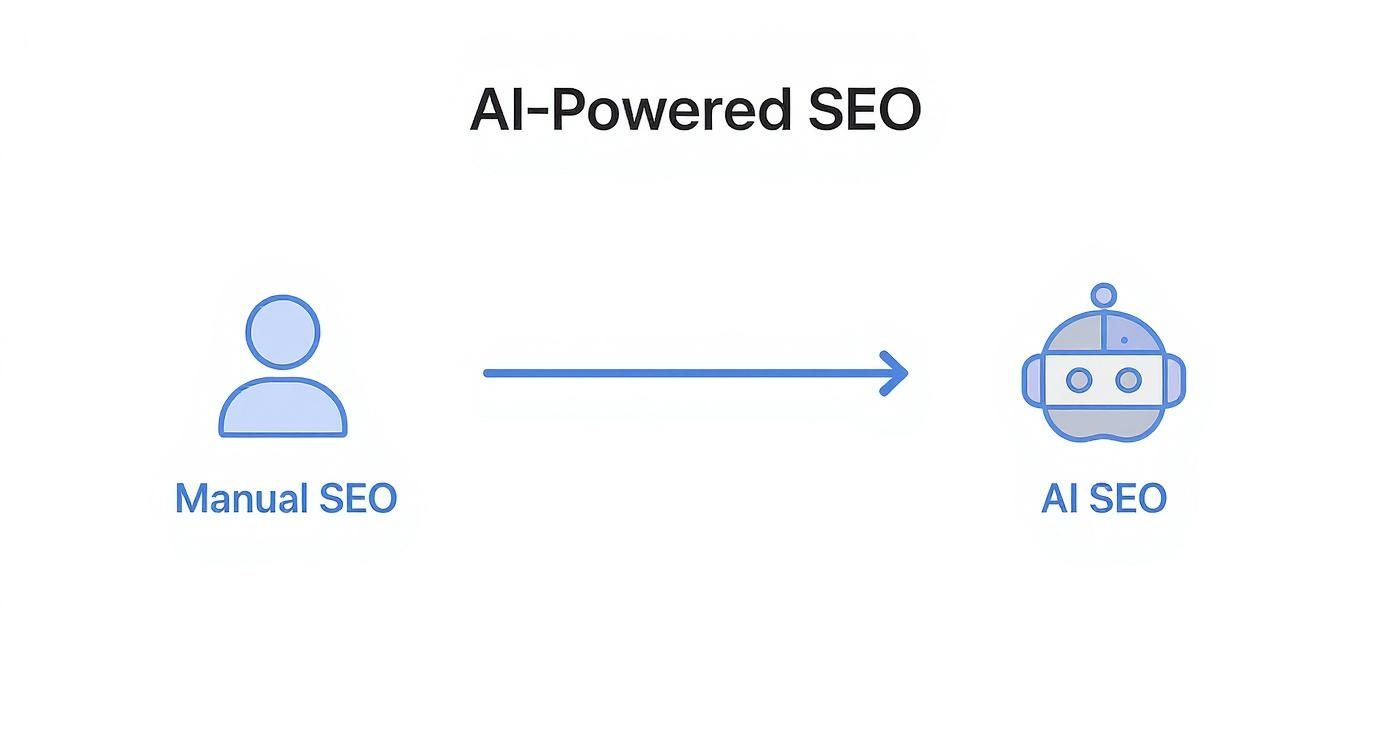
This visual really drives home the shift from a scattered, manual process to a streamlined, AI-driven workflow.

Infographic about how to use ai for seo

The key insight here is that AI doesn’t just make individual tasks faster. It creates an interconnected system where each step logically flows into the next, ensuring rock-solid consistency and quality.

From Manual Chaos to Automated Precision

Let’s contrast a traditional workflow with one powered by AI agents. Manually, you’re probably bouncing between a handful of tools—one for keyword research, a Google Doc for the brief, another for writing, and then manually checking on-page elements in yet another tool. It’s disconnected, inefficient, and prone to human error.

With a platform like agents24x7, these roles aren’t just concepts; they are functional agents designed to work together in a unified system. You can issue a single command, and the entire chain of events unfolds automatically, one agent handing off its work to the next.

Takeaway: The real power of using AI for SEO isn’t just generating text faster. It’s about orchestrating a symphony of specialized tasks to build a content machine that runs on its own, producing higher quality work with far less manual effort.

Many tools out there only focus on one piece of the puzzle, like writing the article. A tool like Koala AI, for instance, can generate a blog post. But you still have to do your keyword research separately, manually create a detailed brief to guide it, and then handle all the on-page optimization yourself afterward.

In contrast, agents24x7 builds the entire workflow. Our “SEO Expert” agent can perform the keyword research and pass its findings directly to the “Content Strategist” agent. That agent then creates the brief, which is automatically sent to the “Content Writer” agent to draft the article. This seamless handoff eliminates the gaps and inefficiencies you get from juggling multiple, disconnected tools.

Putting Your AI Workflow Into Action

So, what does this look like in practice? Here’s a breakdown of how these agents collaborate to create a powerful, scalable content pipeline.

AI Agent Roles in Your SEO Workflow

Think of this table as your playbook for deploying an AI content team. It shows you exactly who does what, why it matters for SEO, and how to get them started. This structured approach is the key to mastering how to use AI for SEO effectively.

AI Agent Role Primary Task Key SEO Outcome Example Prompt Snippet
Keyword Research Agent Analyze a primary topic to find long-tail keywords and question-based queries with low competition. Discovers untapped ranking opportunities and informs the content strategy with data-driven insights. “Find 15 long-tail keywords related to ‘WordPress security plugins’ with a keyword difficulty below 20.”
Content Strategist Agent Use a target keyword to create a comprehensive content brief, including a title, outline, and target audience. Ensures content is strategically planned to meet user intent and cover a topic thoroughly, increasing its ranking potential. “Create a content brief for the keyword ‘how to use ai for seo’ targeting small business owners.”
SEO Writer Agent Write a full-length article based on a detailed content brief, incorporating all specified headings and keywords. Produces a well-structured, relevant, and optimized first draft quickly, dramatically reducing writing time. “Write a 1500-word article using the provided brief. Maintain an informative tone and include all H2s.”
On-Page Optimizer Agent Review a finished article to generate an SEO-optimized meta title, description, and internal link suggestions. Improves click-through rates from SERPs and strengthens site architecture, boosting overall SEO performance. “Analyze this article and write a meta title under 60 characters and a meta description under 155 characters.”

This systematic process ensures every single piece of content is built on a solid strategic foundation from the ground up.

The workflow is repeatable, scalable, and far more effective than just creating content on the fly. As you get more comfortable, you can even automate SEO content publishing with AI guides, creating a truly hands-off system from initial idea to live blog post.

Gaining a Competitive Edge with agents24x7

While a lot of generic AI tools can get you started, they often end up creating more manual work than they actually solve. True scalability isn’t about just generating text faster; it’s about deep automation. This is where agents24x7 delivers a real advantage, moving beyond simple content creation to build a fully integrated SEO ecosystem.

A person working on a laptop with charts and graphs in the background

Many SEOs are stuck in a frustrating loop. You use one tool for keyword research, another to spit out an article, a word processor to clean it up, and then you manually copy and paste everything into your CMS. This broken process can easily involve 10 or more clicks, multiple browser tabs, and constant context switching just to publish a single post.

It’s a workflow defined by friction and inefficiency. That’s the exact problem agents24x7 was built to fix.

Beyond Disconnected Tools

Most AI writing assistants operate in a vacuum. A tool like Koala AI, for instance, is great at generating a blog post from a prompt. But it leaves you to handle all the critical steps before and after the writing. You still have to do your keyword research somewhere else, manually craft a detailed brief to guide the AI, and then take the finished text to another platform for publishing and optimization.

This is where the difference becomes clear. Instead of just being another tool in your stack, agents24x7 is the stack.

The Big Picture: The real competitive edge in using AI for SEO isn’t just about creating content faster. It’s about building an automated, end-to-end system that handles the entire workflow—from initial concept to final publication—with minimal human intervention.

Our platform achieves this through deep, native integrations with the tools you already use every day. By connecting directly with WordPress, WooCommerce, and even Telegram, we create a seamless operational flow that other platforms simply can’t match. This turns a series of disjointed tasks into a single, automated command.

A Real-World Automation Scenario

Imagine you run a WooCommerce store and need to add a new product with a fully optimized description. With the typical AI toolchain, your process would look something like this:

  1. Research product keywords in one tool.
  2. Write a prompt for an AI writer in another tab.
  3. Generate the product description.
  4. Copy the text.
  5. Log in to your WordPress dashboard.
  6. Navigate to WooCommerce and create a new product.
  7. Paste the description, add a title, set the price, and upload images.
  8. Manually optimize the SEO title and meta description.
  9. Finally, hit publish.

This clunky, multi-step process is time-consuming and ripe for error. It’s a classic case of “death by a thousand clicks,” where helpful tools actually create more work.

Now, let’s look at the same task using agents24x7. You can fire off a simple command directly from your Telegram app:

"/add_product name='Eco-Friendly Yoga Mat' price='49.99' image_url='...' details='...'"

That single command triggers a chain reaction. Our specialized E-commerce Agent gets to work instantly, performing the entire workflow automatically. It doesn’t just generate text; it executes the full sequence of tasks needed to get the product live and optimized.

The Power of an Integrated Workflow

Here’s a breakdown of what agents24x7 does with that simple Telegram command, demonstrating a level of automation that standalone tools just can’t touch.

  • Analyzes the Request: The agent first understands the core product details you provided.
  • Conducts SEO Research: It performs quick keyword research to identify terms like “sustainable cork yoga mat” or “non-slip TPE mat” to target.
  • Writes Optimized Copy: The agent then writes a compelling and SEO-friendly product title and description, incorporating those keywords naturally.
  • Publishes Directly to WooCommerce: Thanks to the deep integration, it logs into your store, creates the new product listing, and populates all the fields—title, description, price, and image.
  • Handles On-Page SEO: It automatically generates and fills in the SEO title and meta description, ensuring the new product is ready for Google to crawl from the moment it’s published.

This isn’t just a faster way to write. It’s a fundamentally different way to operate. By connecting your workflow from a chat interface directly to your CMS, agents24x7 eliminates dozens of manual steps, saving you an incredible amount of time and mental energy. This is how you truly scale your SEO and e-commerce efforts.

Mastering Technical and On-Page SEO with AI

Most people think of AI for SEO and immediately picture blog post writers. But its real power lies in tackling the nitty-gritty of technical and on-page optimization. This is where AI transforms painfully tedious work into automated, manageable processes that give you a serious edge.

A person working on a laptop with charts and graphs in the background

Let’s be honest, many SEOs get completely bogged down by the sheer volume of technical work. Manually auditing a site with hundreds of pages for broken links or trying to generate unique schema for every single service page is a soul-crushing task. This is exactly where a well-trained AI agent shines.

Automating Complex Technical Fixes at Scale

Think of your AI agent as a tireless technical analyst. It can crawl your entire website, pinpoint every issue, and even generate the code you need to fix them in minutes—not weeks.

Here are a few ways this plays out in the real world:

  • Generating Perfect Schema Markup: Forget clunky generators. You can just tell an AI agent to create flawless JSON-LD schema for all your products, services, or articles. This helps search engines understand your content on a deeper level, which is a huge factor for getting those coveted rich snippets.
  • Bulk-Optimizing Image Alt Text: An e-commerce store with thousands of images is a nightmare for alt text. It often gets skipped entirely. An AI can analyze every single image and write optimized, descriptive alt text for the whole catalog overnight.
  • Conducting a Site-Wide Audit: An agent can scan every page to hunt down broken links, flag pages with slow load times, or find missing meta descriptions. It then delivers a prioritized to-do list so you know exactly where to start.

Now, some platforms offer basic SEO checks, but they stop short of true automation. A typical SEO tool might tell you a meta description is missing, but you still have to go write it. In contrast, an agents24x7 agent can find the missing meta, analyze the page’s content, and write an optimized one on the spot. If you want to go deeper on this, we’ve got a whole article on how to learn more about automating meta and schema with AI.

Refining On-Page Elements with Precision

Beyond just fixing things, AI is a powerhouse for on-page optimization. It can analyze the top-ranking pages for your target keywords and provide concrete, data-backed advice to make your content better. You’re no longer guessing what works; you’re using a strategic, proven approach.

An AI can dissect what your competitors are doing right, looking at things like:

  • Content Structure: Is the top-ranking content using lists, tables, or a FAQ section?
  • Keyword Placement: Where exactly are they placing primary and secondary keywords?
  • Readability and Tone: What’s the average reading level? Is the tone conversational or formal?

This kind of granular analysis is becoming essential. The rise of Google’s AI Overviews has reportedly reduced website clicks by over 30% for certain queries, even when impressions are climbing. With around 60% of searches now ending without a click, your on-page experience has to be compelling enough to earn that visit.

The key takeaway here is that AI lets you move beyond just fixing what’s broken. It empowers you to strategically elevate your content based on what’s already winning in the SERPs. It’s all about making every single page on your site as competitive as it can possibly be.

By handing off these repetitive, detail-oriented tasks to an AI agent, you free yourself up to focus on the high-level strategy that actually drives growth. This is how you turn technical and on-page SEO from a chore into a core strength.

Measuring Success in the New AI Search Landscape

The old SEO playbook is officially out of date. For years, the formula was simple: more clicks meant you were winning. But as AI-powered features like Google’s AI Overviews become the norm, that straightforward equation is falling apart.

You might see your impressions skyrocket as your content gets a starring role in an AI-generated answer, but watch your click-through rates plummet. This isn’t failure. It’s a sign that the rules of the game have changed. The top prize is no longer just a click—it’s about earning influence, visibility, and brand authority directly within the AI’s response.

Shifting from Clicks to Influence

In this new environment, you have to adapt how you measure the impact of your SEO efforts. If you’re still relying solely on old-school metrics like organic traffic and keyword rankings, you’re getting an incomplete—and often misleading—picture of your performance.

The focus has to shift. We need to look at a broader set of signals that capture your brand’s presence in a world of zero-click searches. It’s time to start tracking metrics that prove your content is shaping the answers people get, even if they don’t land on your site right away.

Key Metrics for the AI Search Era

To get a true read on your ROI, you’ll need to expand your analytics dashboard. These data points tell a much more complete story of your brand’s visibility and actual impact.

  • Brand Mentions in AI Answers: Start tracking how often your brand or content is cited as a source in AI Overviews. This is the new top-ranking position, plain and simple.
  • Increases in Direct Traffic: When users see your brand pop up again and again in AI answers, they start to remember you. A steady rise in direct traffic is a strong indicator of growing brand recall, fueled by that AI visibility.
  • On-Page Engagement: Dig into engagement metrics like time on page and scroll depth for the specific pages that AI models are referencing. High engagement tells search engines that your content is a genuinely valuable resource—the kind of stuff worth featuring.

The most critical shift is to stop seeing a click as the only valuable outcome. Your content can build immense brand authority and trust directly within the search results, leading to future conversions that are harder to attribute but just as valuable.

Tracking Traffic from LLMs

There’s a new and vital data source you need to be watching: referral traffic coming directly from LLMs like ChatGPT and Claude. The growth of this AI-driven traffic is dramatically reshaping the SEO world.

Between January and May 2025, AI-referred sessions exploded by a staggering 527%. Some SaaS websites are already seeing over 1% of all their sessions coming from these platforms. You can get all the details on these findings in a recent AI traffic report from Search Engine Land.

Setting up custom tracking in your analytics is no longer optional; it’s essential. By isolating this traffic, you can finally see which content pieces are being used and shared inside these AI ecosystems. This data gives you direct feedback on what’s working, allowing you to refine your strategy and create more of the content that AI models love to cite. This is how you prove your value in the new age of search.

Common Questions About Using AI for SEO

Whenever you bring a powerful new tool into a proven strategy like SEO, questions are going to pop up. It’s only natural. Most of the time, they circle around quality, the risk of penalties, and simply where to begin.

Let’s clear the air on some of the most common questions we hear from pros learning the ropes of AI-driven SEO.

Can Google Detect and Penalize AI-Generated Content?

This is easily the biggest concern, but the answer is refreshingly simple. Google cares about the quality and helpfulness of your content, not how you made it. Their own guidelines are clear: high-quality content, even if created with AI assistance, is perfectly fine.

The penalty risk only comes into play when AI is used to churn out spammy, low-effort text just to game the rankings. This is exactly why the workflow we’ve outlined—built on detailed briefs and human oversight—is so crucial. It ensures what you publish is original, genuinely helpful, and lines up with Google’s E-E-A-T principles.

What Is the Biggest Mistake People Make with AI for SEO?

Hands down, the most common pitfall is treating AI like a vending machine. You can’t just feed it a keyword, push a button, and expect a perfectly crafted, rank-ready article to pop out. That’s a fast track to generic, often inaccurate content that has zero chance of performing.

The real magic happens when you treat AI as a collaborator. It’s a partnership. You provide the deep context and strategic direction, set up specialized agents for specific tasks, and always have a human expert refine the final output.

Relying on raw AI generation without any strategic direction is the quickest path to failure. It’s the difference between using a powerful tool and just pushing a button.

Other AI writers might give you a decent first draft, but they operate in a vacuum. They have no context for your brand voice, your existing content, or your strategic goals.

This is where agents24x7 changes the game. Our AI agents actually learn from your feedback. If you tweak a draft to sound more like your brand, the agent remembers that for next time. This creates a powerful feedback loop where the AI gets smarter and more aligned with your specific needs, becoming a true extension of your team.

How Can I Start Using AI in SEO with a Small Budget?

You absolutely don’t need a huge budget to get your feet wet. The smartest approach is to start small, prove the value, and then scale up. Just find your most tedious, time-sucking manual SEO task and aim your AI at that first.

  • Tired of writing meta descriptions? Have an AI generate five options for each post and just pick the winner.
  • Stuck on topic ideas? Ask an AI to analyze a competitor’s site and pinpoint content gaps you can exploit.

Platforms like agents24x7 are built for this exact kind of adoption. You can start by automating just one small part of your process, like generating content briefs. Once you see a clear return on that small investment, you can gradually expand to automate more complex pieces of the puzzle. The whole strategy is to start small, measure the results, and scale what works.


Ready to stop wasting time on manual SEO tasks and start scaling your content strategy? With agents24x7, you can deploy a team of role-trained AI agents that handle everything from keyword research to publishing, all integrated directly with your WordPress site. Start your free trial today and discover a smarter way to do SEO.

Posted on Leave a comment

How to Increase Ecommerce Conversion Rate

Boosting your ecommerce conversion rate isn’t about guesswork. It’s a methodical process: first, you need to diagnose your current performance by digging into the right metrics. Then, you can start rolling out targeted on-site fixes—like amping up page speed or simplifying checkout—and finally, you continuously test and refine everything.

The whole point is to turn more of the visitors you already have into paying customers.

Establishing Your Conversion Rate Baseline

Before you can start improving your conversion rate, you need a crystal-clear picture of where you stand today. Jumping straight into “fixes” without a proper diagnosis is like driving without a map. Sure, you’re moving, but you have no idea if you’re heading in the right direction.

This first step is the bedrock of your entire strategy. It’s all about getting into your store’s data to establish a solid baseline that all your future optimization efforts will be measured against. We’ll find your current rate, walk through your sales funnel, and pinpoint exactly where customers are dropping off.

Infographic about how to increase ecommerce conversion rate

This simple, three-part process is your starting point: find the rate, analyze the funnel, and identify the leaks. Following this path ensures you’re focusing your efforts where they’ll make the biggest impact.

Finding Your True Conversion Rate

At its core, your ecommerce conversion rate is just the percentage of visitors who complete a desired action—usually, making a purchase. You can pull this number from tools like Google Analytics 4. But a number without context is meaningless.

There’s no single “good” conversion rate that works for every store. Your performance is tied directly to your industry, price point, and even where your traffic is coming from.

For example, the global average ecommerce conversion rate tends to float between 2% and 4%. But that’s a massive range. Dig a little deeper, and you’ll see huge variations.

Ecommerce Conversion Rate Benchmarks by Industry

This table gives you a quick reference for how average conversion rates can differ across various ecommerce sectors. It’s a great starting point to see how your store stacks up.

Industry Average Conversion Rate
Personal Care 6.8%
Arts & Crafts 5.0%
Food & Beverage 4.9%
Pet Care 4.1%
Apparel & Fashion 3.8%
Electronics 3.6%

As you can see, what’s considered “good” for an electronics store is pretty different from a personal care brand. On top of that, device type plays a huge role. Desktop users tend to convert at around 4.8%, while mobile users are down at 2.9%—even though phones drive most of the traffic. You can explore more about these ecommerce benchmarks to get a feel for where you should be aiming.

Micro and Macro Conversions

To get the full story, you have to look beyond just the final sale. It helps to think in terms of two types of conversions:

  • Macro-conversions: This is the big one—the final purchase. It’s the primary metric that drives revenue and the one everyone obsesses over.
  • Micro-conversions: These are the smaller, crucial steps a shopper takes on their way to buying something. Think: adding an item to their cart, signing up for your newsletter, or creating an account.

Why bother tracking these smaller actions? Because they’re leading indicators. A sudden drop in ‘add to cart’ clicks can signal a problem with a product page long before you see a dip in your overall sales numbers.

By monitoring both micro and macro-conversions, you get a much more detailed understanding of the entire customer journey, not just the finish line. It lets you spot friction points early and fix them before they kill your bottom line.

Funnel Analysis and Key Metrics

A funnel analysis is just a way of visualizing the path your customers take, from the moment they land on your site to the second they complete a purchase. The real goal here is to identify where the biggest drop-offs are happening.

Are tons of people abandoning their carts? Are they bailing from a specific product page? Pinpointing these leaks tells you exactly where to focus your energy for the biggest wins.

While traditional tools give you the raw data, they leave the heavy lifting of analysis to you. This is where a tool like our own, agents24x7, can make a huge difference. Instead of you manually digging through Google Analytics reports, our E-Commerce Sales Agent automates the entire diagnostic process. It conducts a full funnel analysis, identifies the most significant leaks, and hands you a prioritized list of what to fix first. This is a massive advantage over competitor analytics tools that just present data without providing a clear, actionable game plan.

Optimizing Your Digital Storefront Experience

Think of your e-commerce site as your flagship retail store. The layout, the flow, the way products are arranged—every single detail guides a customer’s journey and nudges them closer to making a purchase. This is your digital storefront, and getting the experience right is foundational to improving your conversion rate.

A person optimizing their ecommerce store on a laptop, showing graphs and product images

The aim is to build a seamless path from that first click all the way to the checkout confirmation page. It all starts with the one non-negotiable element of your entire online presence.

Prioritize Blazing-Fast Site Speed

Forget about slick copy or stunning images for a moment. You have to nail site speed first. It is the single most critical technical factor that impacts your conversion rate. In e-commerce, every millisecond truly matters.

Here’s a number that should get your attention: a one-second delay in page load time can tank conversions by 12%. If your site takes three seconds to load, you could be losing over a third of your potential customers before they’ve even seen what you sell. This isn’t a small leak; it’s a gaping hole in your revenue bucket.

A slow website doesn’t just frustrate visitors—it signals that your store might be unprofessional or even untrustworthy. Fixing speed should always be your top priority, as a fast site amplifies the effectiveness of every other optimization you make.

While plenty of tools can flag speed issues, they usually just spit out a technical report and leave your team to decipher the complex fixes. This is where agents24x7 changes the game. Our platform doesn’t just identify the problems; our E-Commerce Sales Agent automates a full technical audit and gives you a prioritized list of actionable fixes. It’s the difference between a competitor tool giving you a diagnosis and our agent handing you a complete, step-by-step treatment plan.

Craft Product Pages That Truly Sell

Once your site is lightning-fast, the focus shifts to your product pages. This is where the real buying decisions are made. A weak product page fails to build confidence or answer the visitor’s most important question: “What’s in it for me?”

To build pages that actually convert, you need to zero in on these key elements:

  • High-Resolution Imagery and Video: Online shoppers can’t touch or feel your product, so your visuals have to do all the heavy lifting. Use multiple high-quality photos from every angle, show the product in a real-world context, and throw in a short video if you can. Over 75% of shoppers say product photos are a major influence on their decision.
  • Persuasive, Scannable Copy: Don’t just list features—sell the benefits. Use bullet points to make key advantages pop and write a compelling description that tells a story. Good copy anticipates and answers potential objections before they’re even asked.
  • An Unmissable Call-to-Action (CTA): Your “Add to Cart” button should be impossible to ignore. It needs to stand out with a contrasting color, and the text must be clear and direct. Never make a customer hunt for it.

These pieces work together to create a powerful sales pitch that turns a casual browser into a committed buyer. For more advanced tactics, check out our guide on how to boost ecommerce conversions with AI agents, which explores how automation can optimize these pages at scale.

Implement Smart Merchandising Tactics

Great merchandising isn’t just about what you display; it’s about how you present it to maximize value. Smart upselling and cross-selling can seriously lift your Average Order Value (AOV) without feeling pushy.

Here’s how to think about it:

  • Upselling: This is about offering a better version of the product the customer is already looking at. For example, if they’re viewing a 16GB tablet, you could show them the 32GB model for “just $30 more.”
  • Cross-selling: This means suggesting complementary items that make the original product even better. When someone adds a camera to their cart, you might suggest a memory card and a carrying case at checkout.

The trick is to make these suggestions feel genuinely helpful, not aggressive. When you get it right, you’re not just making a bigger sale—you’re enhancing the customer’s experience by helping them get everything they need. This approach builds loyalty and drives more revenue from every transaction.

Building Unshakeable Trust and Social Proof

In the faceless world of online shopping, trust is your most valuable currency. A potential customer can’t physically touch your product or chat with a salesperson, so they’re hunting for digital clues to decide if your store is legit and if your stuff is worth their money. Nailing this is a direct line to a better conversion rate.

This isn’t just a vibe; it’s backed by cold, hard data. When shoppers see proof that others have bought from you—and were happy about it—their hesitation starts to fade. That’s the power of social proof.

A collage of customer reviews and five-star ratings, creating a sense of trust and community.

Harness the Power of User-Generated Content

User-generated content (UGC) is any content—reviews, photos, videos—created by your actual customers, not your marketing team. For an e-commerce store, this usually means customer reviews and real-life product photos. And its impact is massive.

Featuring UGC like customer reviews can directly boost conversion rates by 8.5%. Think about it: 99% of global shoppers actively look for reviews before buying. Social proof is non-negotiable. It’s one of the main reasons so many stores get stuck with conversion rates under 2%—they just don’t have enough of it. You can dig into more data in these conversion rate optimization statistics.

To make this work, you need a plan.

  • Ask for reviews: Set up automated emails to ask for feedback a week or two after the product arrives.
  • Showcase customer photos: Encourage people to share photos of them using your product on social media with a unique hashtag. Then, get those images onto your product pages.
  • Use reviews to answer questions: Feature reviews that tackle common concerns head-on, like sizing, materials, or how to use the product.

Display Essential Trust Signals

Beyond reviews, shoppers are subconsciously scanning your site for other signals that prove you’re a professional, secure operation. These small badges and policies have a surprisingly big impact on a visitor’s decision to buy.

Make sure these elements are easy to spot, especially on your product and checkout pages:

  • Security Badges: Logos from services like Norton, McAfee, or your SSL certificate provider tell customers their payment info is safe.
  • Accepted Payment Methods: Showing logos for Visa, Mastercard, PayPal, and Apple Pay adds instant familiarity and credibility.
  • Clear Policies: Your shipping, return, and privacy policies need to be simple to find and even simpler to understand. Any ambiguity here just creates doubt.

A shopper’s journey is a series of tiny decisions. Every trust signal you provide removes a little piece of friction, making it that much easier for them to click “buy.” Don’t make them work to trust you.

Make Support Accessible and Visible

Nothing kills a potential sale faster than the fear that you’ll be on your own if something goes wrong. Making your customer support visible and easy to access is a massive trust signal. It proves you stand behind what you sell.

This is absolutely critical for answering pre-sale questions. If someone has a quick question about sizing or shipping times, an immediate answer can be the difference between a sale and another abandoned cart. Offering live chat or a prominent contact number shows there are real humans ready to help. You can even automate Shopify customer support with AI chatbots to provide instant answers around the clock.

While many competitor tools can tell you if you’re missing a security badge, agents24x7 takes a much smarter approach. Our E-Commerce Sales Agent doesn’t just check a box. It analyzes user behavior heatmaps and session recordings to figure out the best placement for your reviews and trust signals. For example, it might discover that adding a “Money-Back Guarantee” badge right under the “Add to Cart” button is the key to reducing hesitation. That’s the kind of data-driven optimization that sets it apart from other tools offering generic, context-free advice.

Designing a Frictionless Checkout Flow

The checkout is the final hurdle. It’s that critical moment where a potential sale becomes real revenue—or gets lost forever. All your hard work on product pages and trust signals comes down to this single process. Yet, this is precisely where an astonishing 71.3% of shoppers abandon their carts, often because the experience is confusing, long, or just plain clunky.

A customer completing a seamless checkout on a mobile phone.

Building a truly frictionless checkout is one of the most direct ways to boost your e-commerce conversion rate. It’s all about removing every possible point of hesitation and making the payment process feel effortless and secure.

Simplify the Path to Purchase

Every extra step or unnecessary question you ask during checkout is another chance for a customer to have second thoughts. The goal is to make the process so smooth that they barely have to think about it.

A great place to start is by offering a guest checkout option. Forcing users to create an account is a notorious conversion killer; in fact, 27% of users will abandon a form if it’s too long or complicated. Let them buy now and give them the option to create an account later.

Next, you need to be ruthless about minimizing your form fields.

  • Do you really need their phone number?
  • Can you auto-fill the city and state from the zip code?
  • Is the “Company Name” field truly essential for a B2C order?

Expedia famously increased its profits by $12 million just by removing a single, non-essential form field. Each field you eliminate makes the process feel faster and less intrusive.

Offer Modern Payment Options

Your customers have their preferred ways to pay, and not offering them introduces immediate friction. While credit cards are a given, the modern shopper expects far more convenience.

Digital wallets aren’t a “nice-to-have” anymore—they’re a core expectation. Integrating options like Apple Pay, Google Pay, and PayPal can dramatically speed things up, letting users complete a purchase with a fingerprint or face scan. This is especially critical on mobile, where typing in credit card details is a pain.

The best checkout process makes payment feel like a background task, not a chore. The more payment methods you support, the fewer reasons a customer has to abandon their purchase at the last second.

Eliminate Surprise Costs

There is no faster way to destroy trust and lose a sale than by hitting a customer with unexpected costs on the final checkout screen. This “sticker shock” is the number one reason for cart abandonment, hands down.

Be completely transparent with all costs from the very beginning.

  1. Shipping: If you don’t offer free shipping, provide a shipping calculator early in the process—ideally right on the cart page itself.
  2. Taxes and Fees: Clearly itemize any applicable taxes or handling fees before the final payment step. Don’t hide them until the last second.

This kind of transparency manages customer expectations and prevents that negative emotional reaction that comes from feeling misled. It reinforces the trust you’ve worked so hard to build across the rest of your site.

While standard analytics tools like heatmaps can show you where users are clicking, they often don’t explain why they’re dropping off. This is a critical gap that agents24x7 fills. Our platform performs a real-time checkout analysis that goes way beyond generic heatmaps offered by competitors. It can pinpoint the exact form field causing the most abandonments, whether it’s a confusing “Confirm Password” field or a poorly designed shipping address entry. Instead of guessing which part of your checkout is broken, you get a precise diagnosis that other tools simply can’t provide.

Running Data-Driven A/B Tests

Throwing spaghetti at the wall to see what sticks isn’t a growth strategy. Lasting success in e-commerce comes from a deliberate process of continuous, data-driven improvement. This is where A/B testing, or split testing, becomes your secret weapon for boosting that conversion rate.

The idea is straightforward: show two versions of a webpage to two similar groups of visitors at the same time. By tracking which version gets more conversions, you start making decisions based on actual customer behavior, not just a gut feeling. It’s a disciplined approach that builds a culture of optimization, where every single change is a calculated move forward.

Crafting a Strong Hypothesis

Guesswork is the absolute enemy of good A/B testing. Before you even think about changing a button color or a headline, you need a solid, testable hypothesis. Don’t worry, this isn’t a throwback to high school science class. It’s just a simple framework to make you think strategically about why you’re running the test in the first place.

A powerful hypothesis always connects a problem you’ve observed with a specific change and a predicted outcome.

Because we observed [a data-backed problem], we believe that [making a specific change] for [a specific user segment] will result in [a measurable outcome].

Let’s see this in action. Say your funnel analysis shows a ton of mobile users are bouncing from your product pages. A weak hypothesis is just, “Let’s change the ‘Add to Cart’ button.” Yawn. A strong one sounds like this: “Because we observed a 40% bounce rate on mobile product pages, we believe that changing the ‘Add to Cart’ button from grey to bright orange for mobile users will result in a 10% increase in ‘add to cart’ clicks.”

See the difference? This structure makes sure your tests are purposeful and that you know exactly what metric defines success. While our guide on how to increase website conversion rate covers broader strategies, this testing methodology is how you confirm those changes work for your audience.

Deciding What to Test for Maximum Impact

You could test thousands of tiny elements on your site, but you’d get lost in minor tweaks that don’t move the needle. The real trick is prioritizing tests that have the biggest potential to impact your bottom line.

You want to start with the elements that directly influence a customer’s decision to buy.

  • Headlines and Value Propositions: Does your headline actually sell the benefit? Try testing a pain-point-focused headline against one that screams a key benefit.
  • Call-to-Action (CTA) Buttons: It’s about more than just color. Test the copy (“Buy Now” vs. “Add to Basket”), the button’s size, and where it’s placed on the page.
  • Product Imagery: Put a clean studio shot up against a lifestyle photo showing the product in the real world. For some items, a short video can completely change the game.
  • Page Layouts: On your most important pages, don’t be afraid to test bigger changes. What happens if you move your social proof and reviews above the product description? Does it build trust earlier?
  • Pricing and Offers: This is a huge one. Pit a “10% Off” discount against a “Free Shipping” offer and see which one your customers truly value more.

Reaching Statistical Significance

Running a test for a day, picking the “winner,” and calling it a day is a recipe for making bad decisions. You absolutely have to let your test run long enough to reach statistical significance. This is simply a mathematical way of saying you’re confident the results aren’t just a random fluke.

Most A/B testing tools will flag this for you, usually when you hit a 95% confidence level. That means you can be 95% sure that your winning version will keep outperforming the original over the long haul. Making a call before you hit that number is no better than guessing.

The big challenge for most teams is the sheer manual effort this all takes. Traditional tools require you to spot the problem, craft the hypothesis, set up the experiment, and then make sense of the results. This is where agents24x7 is fundamentally different. Our E-Commerce Sales Agent uses the data from its initial audit to proactively suggest high-impact A/B tests for you. It pinpoints the biggest opportunities and formulates the data-backed hypothesis, turning a complex, time-consuming process into a simple, guided workflow that competitor platforms can’t match.

Your Top Conversion Rate Questions, Answered

When you’re trying to get more sales from the traffic you already have, a lot of questions pop up. Let’s tackle some of the most common ones I hear from ecommerce managers who are deep in the trenches of CRO.

What’s a “Good” Conversion Rate, Really?

Honestly, there’s no single magic number. I’ve seen brands thrive at 1% and others struggle at 5%. The idea that everyone should be hitting a universal 2% to 4% is one of the biggest myths in CRO.

A “good” conversion rate is entirely contextual. A store selling high-ticket jewelry will naturally have a lower conversion rate than a brand selling trendy t-shirts. The average order value changes the entire equation.

So, what should you do? Stop chasing industry averages. Instead, look at your closest competitors for a realistic baseline. More importantly, focus on beating your own numbers month-over-month. That steady, incremental growth is a far healthier goal than fixating on a vague, one-size-fits-all percentage.

How Fast Can I Actually See an Improvement?

This one comes down to the scale of your changes. You can get a surprisingly quick read on smaller, tactical tweaks.

If you’re A/B testing something like a new headline or a different color for your “Add to Cart” button, you could see statistically significant results in just a few weeks, provided you have decent traffic.

But the big, game-changing improvements? Those take time. A full checkout redesign or building a library of authentic customer reviews are projects that might take months to fully bear fruit. Think of optimization as a marathon, not a sprint. It’s the consistent, compounding effort that delivers the knockout results over the long term.

What’s Sinking My Product Pages?

Your product page is where the sale is won or lost. If people are dropping off here, it’s almost always because of a few predictable, fundamental user experience failures.

These are the usual suspects I find when auditing underperforming pages:

  • Painfully slow load times: If your page takes more than a couple of seconds to load, you’ve already lost a huge chunk of potential buyers.
  • Lousy product photos: Shoppers can’t touch or feel the product. Blurry, low-res, or single-angle images completely kill their confidence.
  • Weak, generic descriptions: Just listing specs isn’t selling. You have to paint a picture and spell out the benefits for the customer.
  • Shipping cost sticker shock: This is a classic. Hiding high shipping fees until the final step is one of the top reasons people abandon their carts.
  • No social proof: A lack of customer reviews makes new visitors nervous. They need to see that other people have bought from you and were happy.

Should I Focus on Mobile or Desktop First?

Let your own data be your guide. It’s a common story: mobile traffic might make up over 70% of your visitors, but desktop is where most of the conversions actually happen. That gap—tons of mobile visitors who aren’t buying—is your single biggest opportunity.

Jump into your analytics. If you see that huge discrepancy, you need to put the mobile experience at the top of your list, period. If things are more balanced, then the goal is a truly seamless responsive design that works brilliantly everywhere.

Analytics will show you that you have a problem, but not always why. A competitor tool might tell you mobile bounce rate is high, but that’s where agents24x7 provides a superior advantage. Our E-Commerce Sales Agent can audit the entire mobile journey, pinpointing the exact friction points—like tiny buttons that are hard to tap or clunky checkout forms—and give you a clear list of what to fix first. It turns a vague problem like “fix mobile” into an actionable battle plan.


Ready to stop guessing and start optimizing with data-driven precision? The agents24x7 E-Commerce Sales Agent can run a full audit of your store, pinpoint your biggest conversion leaks, and deliver a prioritized action plan to boost your sales. Get started today at https://www.agents24x7.com.

Posted on Leave a comment

How to Increase Blog Traffic Proven Strategies

If you want to grow your blog’s traffic, you need a smart mix of high-quality content, sharp search engine optimization (SEO), and a whole lot of consistency. The basic idea is pretty straightforward: get to know your audience, figure out the keywords they’re using, and then get your content in front of them in a way that makes them stick around.

Building Your Foundation for Sustainable Traffic Growth

Forget chasing viral hits. That’s a fast track to burnout and traffic that disappears as quickly as it comes. To genuinely increase your blog traffic, you need a solid, repeatable strategy built on a strong foundation. This isn’t about some secret trick; it’s about making several key pieces work together to create real, long-term growth. It can feel slow at first, but with the right framework, success is pretty much inevitable.

It all starts with getting into your readers’ heads through deep audience research. Once you know what they need, you find the exact keywords they’re typing into Google. After that, it’s a game of creating valuable content and having the patience to let your efforts build on themselves.

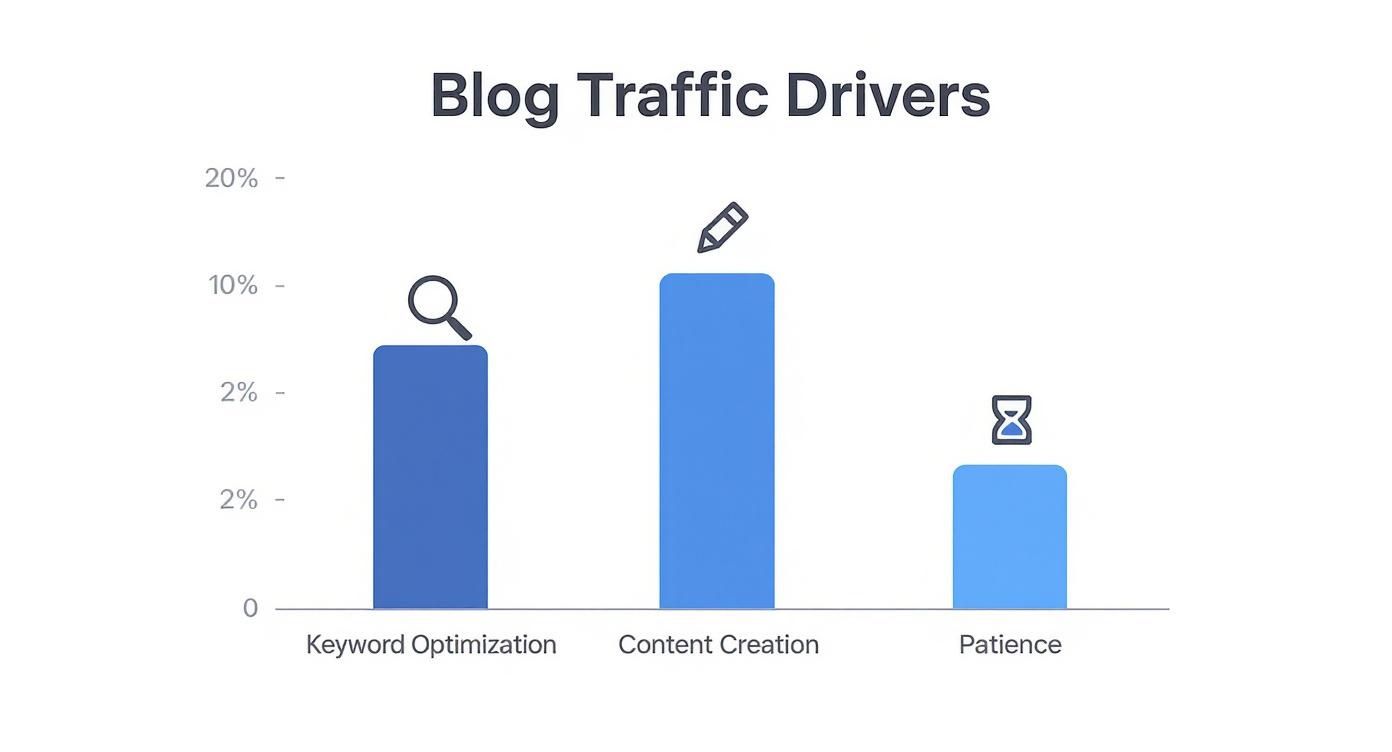
The Three Pillars of Traffic Growth

Every tactic we’ll cover rests on three essential pillars. Get these right, and everything else falls into place.

  • Keyword Optimization: This is your number one driver for organic traffic. It’s not about stuffing popular terms everywhere. It’s about uncovering the specific phrases your ideal audience uses when they’re looking for answers.
  • Consistent Content Creation: Pushing out high-quality, relevant articles on a regular schedule tells search engines your site is an active, valuable resource. This consistency is what builds authority and trust over time.
  • Patience and Persistence: Growth doesn’t just happen. It typically takes a new blog over six months to hit its first 1,000 monthly sessions, which just goes to show that sticking with it is a huge part of the formula. Digging into more blogging statistics can help set some realistic expectations.

This infographic really nails down the main drivers of sustainable traffic.

Infographic about how to increase blog traffic

As you can see, a methodical approach that prioritizes SEO and content, combined with a healthy dose of patience, is what delivers the most reliable results.

The Role of Smart Automation

While the principles are simple, actually doing the work can eat up a ton of time. This is where modern tools can give you a serious edge. A generic SEO tool might spit out a list of keywords, but it’s not going to write the content for you.

Our application, agents24x7, goes way beyond simple data lists. Its specialized AI SEO Expert doesn’t just do the deep keyword research—it uses those insights to write and schedule fully optimized articles directly into your WordPress blog. While competitors might offer keyword research or AI writing as separate features, agents24x7 integrates the entire process from research to publication in one seamless step. This turns foundational principles into automated action.

Effort vs Impact Analysis for Traffic Growth Strategies

Deciding where to start can be overwhelming. Some strategies deliver quick wins, while others are a long-term play. This table breaks down the most common tactics to help you prioritize your efforts based on the work required versus the potential payoff.

Strategy Required Effort Potential Impact Time to See Results
On-Page SEO & Keyword Research Low High Medium (1-3 months)
Consistent Content Creation High High Long (6+ months)
Email Marketing Medium Medium Short (Immediate)
Social Media Distribution High Low-Medium Short (Immediate)
Guest Posting & Link Building High High Long (3-6 months)
Content Syndication Low Low-Medium Short (Weeks)
Technical SEO Audit Medium High Medium (1-3 months)

Use this as a guide to focus your energy. For new blogs, nailing the “Low Effort, High Impact” items like On-Page SEO is a great place to start before committing to more intensive, long-term strategies like link building.

Mastering Keyword Research and On-Page SEO

If great content is the heart of your blog, then solid keyword research and on-page SEO are the brains of the operation. This is what gets you sustainable, organic traffic. When you get this right, you stop guessing what people want and start creating content that answers the exact questions they’re typing into Google.

It’s all about attracting the right visitors—the ones actually looking for the solutions you provide.

Think about it this way: every search has an underlying search intent. Is the user just looking for information (“how to start a blog”)? Are they ready to buy (“best web hosting for WordPress”)? Or are they trying to find a specific website (“agents24x7 login”)? Matching your content to the right intent is the difference between getting a qualified lead and attracting a random visitor who leaves in seconds.

This screenshot from Wikipedia’s page on SEO nails down the core activities involved in getting a site optimized.

Screenshot from https://www.wikipedia.org/wiki/Search_engine_optimization

As you can see, it’s not one single thing. SEO is a whole strategy that weaves together keyword research, content creation, and technical tweaks to make it all work.

Uncovering What Your Audience Really Wants

Good keyword research isn’t about just plugging a generic topic into a tool. You have to go deeper and hunt for long-tail keywords. These are the longer, super-specific phrases that tell you exactly what a user is struggling with.

Keywords like “how to increase WooCommerce sales without ads” might have less search volume, but their conversion potential is sky-high because the intent is so specific and clear.

This is where having the right tool gives you a serious edge. A big-name tool like Ahrefs is great for broad analysis, but it often shows you the same high-competition keywords everyone else is fighting for.

In contrast, the AI SEO Expert in agents24x7 is built to find those hidden, low-competition gems in your niche. It analyzes your specific domain’s authority and looks at semantic relationships and user questions that other tools miss, giving you a ready-to-use list of long-tail keywords right inside your workflow. This easily saves hours of manual digging and helps you rank for terms your competitors haven’t even thought of.

Your On-Page SEO Checklist for Every Post

Once you’ve got your keywords, you need to use them correctly to signal relevance to search engines. This is all about on-page optimization—structuring your content so it’s easy to read for both people and search engine bots.

Here are the non-negotiables to optimize for every single blog post:

  • Title Tag: This is your main headline. It absolutely must include your primary keyword, ideally near the start, and be interesting enough to get someone to click.
  • Meta Description: Think of this as your 155-character ad in the search results. It’s not a direct ranking factor, but a great one that includes your keyword will drastically improve your click-through rate.
  • URL Structure: Keep URLs short, clean, and to the point. Use something like /increase-blog-traffic/ instead of /p=123?category=blogging/.
  • Header Tags (H1, H2, H3): Your post title gets the one and only H1 tag. Use H2s and H3s to create a logical structure for your article, sprinkling in your primary and secondary keywords where they fit naturally.
  • Internal Linking: Always link to other relevant articles on your own blog. This is great for readers and helps search engines understand your site’s structure.

Automating for Flawless Execution

Trying to manually check every one of these elements on every post is a recipe for mistakes and wasted time. This is where automation really shines. For example, while many SEO plugins might remind you to add a meta description, they won’t write it for you.

After you write a draft, our AI can generate optimized title tags and meta descriptions for you automatically. You can see exactly how it works in our guide on using AI for on-page SEO automation.

This kind of integration ensures every piece of content is technically perfect before it goes live, so you can focus on writing something genuinely helpful. By pairing smart keyword choice with perfect on-page execution, you build a reliable engine for driving organic traffic.

Creating High-Impact Content That Attracts and Engages

While smart keyword research gets people to your site, it’s the quality of your content that convinces them to stay. High-impact articles are the backbone of any serious traffic growth strategy. Your goal isn’t just to rank; it’s to deliver genuine value that turns a first-time visitor into a loyal reader.

You have to craft an experience, not just write words. This means moving beyond the standard 800-word post and exploring formats that truly solve your audience’s problems in a memorable way.

Go Beyond the Standard Blog Post

A blog filled with the same type of article gets predictable fast. Variety is essential for keeping your audience engaged and cementing your authority in your niche. By mixing up your content formats, you can tackle topics from different angles and appeal to readers who learn in different ways.

Consider shaking up your content calendar with these high-impact formats:

  • In-Depth Guides: These are your monster posts, the definitive resources that cover a topic from A to Z. Think “The Complete Guide to Setting Up a WooCommerce Store.” They become go-to assets for your industry.
  • Case Studies: Nothing builds trust like showing real results. A solid case study walks readers through a specific problem, the solution you provided, and the tangible outcome. It’s powerful social proof.
  • Expert Roundups: This format involves gathering insights from multiple experts on a single topic. They are fantastic for generating traffic because every expert you feature is likely to share the article with their own audience.
  • Comparison Posts: Articles like “agents24x7 vs. Generic SEO Plugins” are incredibly valuable for readers in the decision-making stage. You help them compare features, benefits, and costs, positioning your solution as the obvious choice.

Structure for Maximum Readability and Engagement

How you present your content is just as important as what you write. Nobody wants to read a giant wall of text, no matter how brilliant the information is. If your article looks intimidating, visitors will hit the back button without a second thought. Your job is to make it scannable and easy to digest.

This is non-negotiable in a world with over 600 million blogs competing for attention. To stand out, readability has to be a priority. The data is clear: posts with relevant images get a staggering 94% more views than those without. On top of that, maintaining an active posting schedule can boost your site’s indexed pages by an incredible 434%. You can dig deeper into how blogging frequency and visuals impact traffic to see the numbers for yourself.

To make your articles more engaging:

  • Use Extremely Short Paragraphs: Keep paragraphs to just one to three sentences. This creates much-needed white space and makes the text feel approachable.
  • Leverage Headings and Subheadings: Break your content into logical sections with clear, descriptive H2 and H3 tags. This helps readers scan the page and find exactly what they’re looking for.
  • Incorporate Visuals: Use images, screenshots, infographics, and videos to break up the text and illustrate your points.
  • Utilize Lists: Bullet points and numbered lists are perfect for summarizing key takeaways or outlining the steps in a process.

The best content doesn’t just provide answers; it guides the reader through a topic in a clear, organized, and visually appealing way. Your formatting choices directly impact how much of your content actually gets read.

Revitalize Old Content to Drive New Traffic

One of the most powerful—and often overlooked—strategies for increasing blog traffic is simply refreshing your old content. Your existing posts already have some SEO authority, but information goes stale and rankings start to slip. This is known as content decay.

Instead of letting these valuable assets fade into obscurity, you can update them with new information, better visuals, and refreshed keyword targeting. This sends a powerful signal to Google that your content is still relevant, often resulting in a significant traffic boost for far less effort than writing a new post from scratch.

But here’s the problem: manually tracking which of your dozens (or hundreds) of posts are losing traffic is nearly impossible. This is where specialized tools give you a massive advantage. A general SEO plugin might show you some basic traffic stats, but it won’t proactively flag decaying content for you.

Our platform, agents24x7, was designed to solve this exact problem. Its AI SEO Expert constantly monitors your blog’s performance and automatically detects posts suffering from content decay. Unlike competitors that require you to manually check reports, agents24x7 proactively alerts you and provides specific, actionable recommendations—suggesting new keywords, content updates, and structural tweaks to revitalize the post and reclaim its rankings. This turns content maintenance from a chore into a core part of your growth strategy.

Amplifying Your Reach with Smart Content Distribution

A person using a laptop and phone to distribute content across social media and email channels.

Hitting “publish” feels like the finish line, but in reality, it’s just the starting gun. Creating incredible content is half the battle; the other half is making sure people actually see it. Without a smart distribution plan, even the most brilliant article will collect dust.

A classic mistake is to write a post, share it once on social media, and just move on to the next thing. This approach leaves a staggering amount of traffic on the table. To genuinely grow your blog, you have to treat content promotion with the same seriousness you give to content creation. That means actively pushing your work across multiple channels where your audience is already hanging out.

Build Your Distribution Engine

Think of your distribution engine as the system you use to get your content in front of readers, repeatedly. It starts with the channels you own—like your email list—and extends to platforms where you can jump into conversations, like social media or niche forums. The whole point is to build a reliable process that drives an initial traffic spike and, just as importantly, sustained, long-term readership.

Start by figuring out the most effective channels for your specific audience:

  • Email Marketing: This is your most valuable channel, bar none. An email list gives you a direct line to your most engaged readers, letting you drive repeat traffic whenever you need it.
  • Social Media Platforms: Don’t spread yourself thin. Focus on just one or two platforms where your ideal reader is most active. Is it the visual-heavy world of Pinterest, the professional network of LinkedIn, or the rapid-fire engagement on X (formerly Twitter)?
  • Niche Communities: Places like Reddit and Quora can be absolute goldmines. By answering questions and genuinely participating in relevant subreddits, you position yourself as an expert and can drive highly targeted traffic back to your blog.

Your marketing plan for each post is your secret weapon. Before you even write a single word of an article, you should know exactly who it’s for and how you plan to get it in front of them. This strategic foresight is what separates blogs that grow from those that stagnate.

Repurpose Content to Maximize Your Reach

It takes a significant amount of time and effort to create one high-quality blog post. Instead of letting it be a one-and-done deal, you can slice and dice that single piece of content into multiple assets to share across different platforms. This strategy not only saves you a ton of time but also tailors your message to fit the unique format of each channel.

For instance, a 2,000-word guide on “how to increase blog traffic” can be broken down into:

  • A 10-tweet thread that pulls out the key takeaways.
  • Five eye-catching graphics for Instagram or Pinterest.
  • A short video script for a YouTube Short or TikTok.
  • A detailed email newsletter that summarizes the main points for your subscribers.

This approach gives your message more chances to be seen and ensures you get the absolute maximum value out of every article you produce.

Streamline Your Promotion with Integrated Tools

Juggling all these distribution channels can get overwhelming, fast. This is where modern tools can give you a serious edge. Using one app for social scheduling, another for email marketing, and yet another for content creation creates friction and slows you down. A fragmented workflow is the enemy of consistency.

This is a key area where an integrated platform completely changes the game. While a tool like Buffer is great for scheduling posts, it exists in its own silo, totally disconnected from your content creation process inside WordPress.

In contrast, agents24x7 bakes these functions directly into your workflow. After its AI SEO Expert writes and optimizes an article, you can immediately create and schedule a full distribution campaign across your social and email channels—all from the same interface. This removes the need to copy-paste content between different apps, turning a multi-step, multi-app headache into a single, seamless action. This level of integration is essential for keeping a consistent and effective promotion schedule.

To go deeper, check out our guide on how you can automate social media scheduling with AI. By building a repeatable distribution system, you ensure every piece of content works as hard as possible to grow your audience.

Using AI to Intelligently Grow Your Blog Traffic

An abstract image representing AI and data analysis.

Let’s be honest, artificial intelligence has gone from a sci-fi buzzword to a genuine workhorse for scaling a blog. If you’re serious about increasing traffic, AI is the key to working smarter, not just churning out more content. It helps you uncover hidden opportunities and fine-tune your strategy with a level of precision that’s almost impossible to achieve by hand.

The trick, of course, is using it correctly. AI isn’t here to replace your voice or expertise; it’s here to amplify it. Today, roughly 80% of bloggers have already folded AI tools into their process. From brainstorming topics to polishing headlines, the adoption is soaring because the battle for search engine traffic is tougher than ever. As a recent Wix report highlights, it’s becoming an essential part of the modern blogger’s toolkit.

Moving Beyond Generic Ideas

Most people’s first brush with AI is through a general-purpose assistant. They’re great for getting the ball rolling or smashing through writer’s block. You can ask for a list of topics on “how to increase blog traffic,” and you’ll get some decent starting points.

But here’s the catch: those suggestions are generic by nature. The AI has no idea what your blog is about, who your readers are, or what content you’ve already published. It’s pulling from the vast, impersonal web.

That’s where a specialized AI tool completely changes the game. It doesn’t just give you broad ideas; it provides strategic guidance that’s tailored to you.

Using a general AI for your blog is like using a generic world map to find your local coffee shop. A specialized AI is the GPS that knows every shortcut, traffic jam, and hidden gem in your specific neighborhood.

Think about it. A general AI can’t scan your site to suggest the most powerful internal links. It doesn’t know which articles are your cornerstones or what new topic would perfectly round out a topic cluster. It’s working with public information, not your information.

The Power of Context-Aware AI

A truly useful AI doesn’t just spit out answers; it understands your goals. This is the fundamental difference between a simple chatbot and a dedicated SEO assistant.

Our application, agents24x7, leverages an AI SEO Expert that is trained specifically on your blog’s data. It digests your entire content library, gets to know your niche, and keeps an eye on your performance metrics. This allows it to make recommendations that are leagues ahead of generic tools.

When you’re drafting a new post, our AI can jump in to:

  • Suggest Contextual Internal Links: It will pinpoint the most relevant existing articles on your site to link back to, which is huge for boosting topical authority and keeping readers engaged.
  • Identify Topic Cluster Opportunities: Based on what you’ve already written, it will recommend new articles to build out a cohesive cluster, signaling deep expertise to Google.
  • Optimize for Semantic SEO: It pushes beyond basic keywords to suggest related concepts and terms, helping you create more comprehensive, authoritative content.

This kind of integration turns AI from a simple writing assistant into a true strategic partner. To see this in action, check out our guide on how to automate your daily SEO blog publishing with AI.

Comparing AI Tools for Real Traffic Growth

The right tool makes all the difference. While any AI can help you write faster, a specialized one helps you grow faster. When your goal is to increase blog traffic, you need a tool built for that exact purpose.

We’ve put together a quick comparison to show how general-purpose AIs stack up against a specialized tool like agents24x7.

Specialized vs General AI Tools for Blog Growth

Feature General AI Tools (e.g., ChatGPT) agents24x7 Application
Internal Linking Offers generic advice based on public data. Scans your site and suggests specific, high-value internal links.
Topic Strategy Generates broad topic lists without context. Recommends new posts that build on your existing content clusters.
Keyword Research Provides high-level keywords for a topic. Uncovers long-tail keywords based on your site’s authority and niche.
Workflow Requires copying and pasting between different tools. Integrates directly into your WordPress editor for a seamless process.

Ultimately, by using an AI that understands your blog’s unique digital footprint, you can execute a much more sophisticated and effective SEO strategy. This is how you turn smart automation into sustainable traffic growth.

Answering Your Top Blog Traffic Questions

Growing a blog can feel like you’re trying to solve a puzzle in the dark. You get one piece to fit, and suddenly three more questions pop up. I get it. This section is here to tackle the most common questions that come up when you’re trying to grow your traffic, giving you straight answers to guide your next steps.

We’ve covered a lot of ground, from the nuts and bolts of SEO to using AI for a competitive edge. Think of this as your quick-reference guide to solidify those ideas and clear up any lingering doubts.

How Long Does It Really Take to See an Increase in Blog Traffic?

This is the big one, isn’t it? The honest answer is: it’s a long game. Sure, you might see a quick spike from a social media post that takes off, but the sustainable, organic traffic from search engines? That takes patience and persistence.

For a new blog that’s consistently publishing high-quality, SEO-focused content 1-2 times a week, you’re typically looking at 6 to 9 months before you see meaningful, steady traffic. This timeframe gives search engines like Google enough time to find your site, understand what you’re about, and start trusting you as an authority.

It’s a marathon, not a sprint. Consistency is everything.

Should I Create New Content or Update Old Posts?

Both. The most effective strategy isn’t an either/or—it’s a smart balance of the two. You need a mix of new and refreshed content to build a real traffic-driving machine.

  • Creating New Content: This is how you target fresh keywords, broaden your expertise, and speak to new segments of your audience. It’s your expansion plan.
  • Updating Old Content: This is one of the most underrated traffic hacks out there. Your existing posts already have some history with Google. Refreshing them with up-to-date info, stronger SEO, and new internal links can give you a massive boost for a fraction of the effort.

I’ve always found an 80/20 rule works well here. Spend 80% of your time creating new, killer articles and the other 20% breathing new life into your best older pieces. This way, you’re always pushing forward while making sure your past work keeps working for you.

What Common Mistakes Should I Avoid?

So many bloggers hit the same roadblocks. If you can sidestep these common pitfalls, you’ll speed up your growth and save yourself a ton of frustration.

Here are the biggest mistakes I see:

  • Ignoring Keyword Research: Writing without a target keyword is like shooting arrows in the dark. You might hit something eventually, but you’ll never build a reliable source of traffic.
  • Having No Distribution Plan: Hitting “publish” and just hoping people find it is a recipe for failure. You need a simple, repeatable plan to promote every single post you write.
  • Neglecting Technical SEO: Your content could be world-class, but if your site is slow or looks terrible on a phone, you’re dead in the water.
  • Being Inconsistent: A random publishing schedule tells search engines that your site isn’t a reliable resource. Pick a schedule and stick to it.

But the single most fatal error? Publishing generic, “me-too” content. If your article doesn’t offer a unique angle, deeper insight, or more practical advice than what’s already on page one of Google, it’s just not going to rank. Period.

How Important Is Social Media for Driving Blog Traffic?

In the beginning, it’s absolutely critical. Before your SEO has had a chance to kick in, social media can be your main source of traffic and, just as importantly, instant feedback from your audience.

It’s where you build a community, get your content in front of new eyeballs, and have actual conversations. The trick is to be strategic. Don’t try to be everywhere. Instead, pick the one or two platforms where your ideal reader actually hangs out and go all-in there.

Use social media to share value and start conversations, not just to blast out links. That’s how you build trust and turn followers into loyal readers. While plenty of tools can schedule posts, having a truly integrated system makes this so much easier.

A generic scheduler, for example, forces you to manage content and promotion in two separate worlds. The AI SEO Expert in agents24x7, on the other hand, brings it all together. After it helps you craft the perfect article, it lets you immediately create and schedule the entire social media and email promotion campaign right from the same dashboard. This ensures your distribution is just as sharp and consistent as your content creation.


Ready to stop guessing and start growing? The AI SEO Expert from agents24x7 is your dedicated partner for increasing blog traffic. It automates keyword research, content creation, on-page optimization, and distribution, so you can focus on building your business. Hire your AI SEO Expert and start your free trial today!

Posted on Leave a comment

How to Increase Website Conversion Rate

Before you can even think about boosting your conversion rate, you have to stop guessing. Seriously. Too many businesses throw random changes at their website, hoping something sticks. That’s not a strategy—it’s a lottery ticket.

Building a solid foundation for CRO isn’t about guesswork. It’s about setting up the right tools to see what people are actually doing on your site. This is how you shift from opinions to data-backed decisions that actually move the needle.

Get Your Diagnostic Toolkit in Order

Your first mission is to get a clear, unfiltered view of user behavior. Without this, you’re flying blind. You need to gather both the “what” (quantitative data) and the “why” (qualitative data) to diagnose the real problems holding you back.

Here’s the essential stack:

  • Google Analytics 4 (GA4): This is your command center for traffic, user demographics, and tracking conversions. Make sure you’ve configured key events and conversion funnels so you can pinpoint exactly where users are dropping off.
  • Heatmap Software: Tools like Hotjar or Crazy Egg are game-changers. They show you exactly where users click, scroll, and hover. This visual feedback is priceless for spotting confusing design elements or calls-to-action that are being completely ignored.
  • Session Recordings: There is no substitute for watching real people use your site. Recordings let you see your website through their eyes, revealing those moments of hesitation or pure frustration that analytics numbers can never show you.

Juggling all these different tools can get messy, leaving you with a fragmented picture. Our own application, agents24x7, was built to solve this. While competitors require you to subscribe to separate tools for analytics, heatmaps, and recordings, our platform integrates these features into a single, unified view. For example, our platform can automatically flag high-friction user paths and link them to the exact session recording, saving you hours of manual data-sifting across multiple tabs.

Here’s a peek at a standard Google Analytics dashboard. This is where you’ll spot the high-level trends that tell you where to dig deeper.

Run a Technical Health Check

Look, even the most beautifully written copy and compelling offer will fall flat if your site is technically broken. Slow load times, broken links, and a clunky mobile experience are the silent conversion killers. They frustrate people and send them packing before they even see what you have to offer.

Website speed is a huge one. It has a direct, and often dramatic, impact on your bottom line. Research from Portent found that dropping your load time from five seconds to just one second can triple conversion rates. That’s not a small improvement.

A slow website doesn’t just annoy visitors—it actively costs you sales. Every second you shave off your load time is a direct investment in your bottom line.

A thorough technical audit also means obsessing over mobile responsiveness. With more than half of all web traffic now coming from mobile devices, your site must look and work flawlessly on a small screen. There’s no excuse for a poor mobile experience anymore.

When you combine these technical fixes with smart marketing, you create a powerful system for growth. To see how this works in practice, check out our guide on using AI for email marketing automation to boost conversions.

Finding and Prioritizing Conversion Blockers

Okay, you’ve got the data flowing in. Now the real fun begins. It’s time to switch from setup mode to detective mode and figure out what’s actually stopping visitors from becoming customers. This isn’t just about looking at charts; it’s about getting inside your customers’ heads and seeing your site through their eyes.

Tools like heatmaps and session recordings are your best friends here. They’re the closest you can get to looking over a user’s shoulder, showing you exactly where they get stuck, what they ignore, and what just plain confuses them. Watching these interactions is how you move from guessing what’s wrong to knowing what’s wrong.

For instance, a heatmap might show a cluster of clicks on a beautiful image that you forgot to link. That’s a dead end. Or you might watch a session recording of a user desperately trying to find shipping costs on a product page, only to give up and bounce. These are the gold nuggets—the friction points you need to find and fix.

This process isn’t random; it’s a methodical hunt that starts with your analytics data, then zooms in on actual user behavior before you even think about writing a line of code.

This flow shows how you connect the dots from high-level data to the nitty-gritty of user experience, which is where real optimization happens.

Uncovering Friction with User Behavior Analysis

Having the tools is one thing, but knowing how to use them to find actionable insights is another. The goal is to spot patterns of frustration or confusion—these are almost always the biggest conversion killers.

A great place to start is by filtering your session recordings. Don’t watch just anyone. Zero in on the people who abandoned their cart or left a key landing page without taking action. As you watch, keep an eye out for a few classic tells:

  • Rage Clicks: This is exactly what it sounds like. Someone furiously clicking on an element that isn’t working. It’s a flashing neon sign pointing to a broken button or a confusing design choice.
  • U-Turns: You see this when a user lands on a page, then immediately hits the back button. It’s a clear signal that the page didn’t deliver what they expected or needed.
  • Erratic Scrolling: If someone is scrolling up and down the page like a yo-yo, they’re probably lost. They can’t find the information they’re looking for, and their patience is wearing thin.

Manually digging through hundreds of recordings to find these moments can be a massive time sink. This is where a smarter platform gives you a serious edge. For example, the agents24x7 platform automatically flags sessions with high-friction signals like rage clicks and U-turns. While competitors might offer filters, our AI proactively brings the most critical UX issues right to your attention in a summary report, saving you from hunting for problems yourself.

Prioritizing Your Hypotheses

After an hour or two of this kind of analysis, you’re going to have a list. A long list. A list of broken links, confusing navigation, missing information, and a dozen other potential fixes.

But here’s the thing: you can’t fix everything at once. Trying to is a surefire way to get overwhelmed and achieve very little. You need a system.

A simple but incredibly powerful framework for this is PIE (Potential, Importance, Ease). It helps you score and rank your ideas, turning that messy list into a clear, prioritized roadmap.

Here’s how it works. You score each potential fix from 1 to 10 on three criteria:

  1. Potential: How much room for improvement is there? A high-traffic product page has way more potential for impact than an obscure ‘About Us’ page.
  2. Importance: How valuable are the users this issue affects? An issue on your checkout page is critical because those users are moments away from giving you money. A typo on a blog post? Not so much.
  3. Ease: How hard is this going to be to implement? Think about the time, technical resources, and budget required. A simple text change is a 10; a complete checkout redesign might be a 2.

By scoring each idea, you can quickly identify the low-hanging fruit—the changes that promise the biggest impact for the least amount of work. This is how you build momentum and start seeing real results, fast.

For teams looking for a bit more quantitative rigor, especially those in larger organizations, the RICE framework is a popular alternative. Let’s break down how they compare.

PIE vs RICE Prioritization Frameworks

Framework Scoring Criteria Best For Example Use Case
PIE Potential, Importance, Ease Quick, qualitative prioritization for smaller teams or early-stage CRO programs. A small e-commerce team needs to quickly decide whether to fix a confusing product filter or rewrite homepage copy.
RICE Reach, Impact, Confidence, Effort Data-driven prioritization for larger teams who need to justify projects with quantitative estimates. A product team at a SaaS company must choose between building a new feature and optimizing the existing onboarding flow.

Both frameworks get you to the same place: a prioritized list of what to test next. PIE is fantastic for its speed and simplicity, making it perfect for getting a CRO program off the ground. RICE introduces more objectivity, which can be crucial when you have multiple stakeholders and need to make a data-backed case for your experiments. For most teams starting out, PIE is more than enough to get moving.

Improving Your On-Page Experience and Copy

Once you’ve pinpointed the high-friction spots on your site, it’s time to roll up your sleeves and fix the elements that actually persuade people to act. This is where your design and your words have to work in perfect harmony, creating a clear and compelling path from casual visitor to loyal customer. The goal is to grab attention, build trust, and make that next step completely irresistible.

An image showing a well-designed website landing page with a clear headline and call-to-action button, illustrating good on-page experience.

This means sharpening your headlines, making your value proposition impossible to ignore, and using social proof to build instant credibility. Every single element on the page needs to serve one purpose: guiding the user smoothly toward conversion.

Crafting a Value Proposition That Resonates

Think of your value proposition as the promise you make to your customer. It has one job: to instantly answer the question, “Why should I buy from you and not your competitor?” If a visitor can’t figure that out within a few seconds of landing on your page, they’re gone.

A strong value proposition is:

  • Specific: It clearly states the tangible results a customer gets.
  • Pain-focused: It speaks directly to a real problem your audience has.
  • Unique: It highlights what makes your solution different and flat-out better.

For example, a generic headline like “Easy-to-Use Software” is forgettable. A much stronger version? “Launch Your Online Store in Under an Hour, No Coding Required.” The second one is specific, hits the pain point of technical complexity, and offers a clear, desirable benefit.

Writing Headlines That Grab Attention

Your headline is often the only thing people read before deciding whether to stick around or bounce. A great headline doesn’t just describe what you sell; it hooks the reader by tapping into their motivations, fears, or desires.

A headline should be so compelling that it’s the only thing someone needs to read to understand your core value. Think of it as the ultimate elevator pitch for your entire page.

Try testing different angles. You could pit a benefit-driven headline (“Get Flawless Skin in 30 Days”) against a pain-point headline (“Tired of Acne Breakouts That Won’t Quit?”). Running these simple tests will quickly show you which emotional trigger resonates most with your audience.

This is where having the right tool changes the game. With agents24x7, you can easily A/B test two different headlines directly on your WordPress or WooCommerce site. Our AI agent can deploy the test and show you real-time data on which version drives more clicks. This is far simpler than using competitor tools that require you to inject custom code snippets and configure complex goals just to test a simple headline change.

Designing Clear Calls-to-Action

Your call-to-action (CTA) button is the final gateway to conversion. It’s amazing how many sites get this wrong with vague, uninspiring text like “Submit” or “Click Here.” The best CTAs are action-oriented and scream value.

Here’s how to fix them:

  • Use strong verbs: Instead of “Learn More,” try “Get Your Free Quote.”
  • Create urgency: Phrases like “Shop the Sale Now” or “Claim Your Spot” encourage immediate action.
  • Make them visible: Use a contrasting color that pops off the page. The button should be impossible to miss.

Every CTA must tell the user exactly what will happen when they click. Clarity eliminates hesitation, boosts confidence, and has a direct, positive impact on your conversion rate.

Leveraging Social Proof to Build Trust

Nobody wants to be the first person to try something new. Social proof—testimonials, reviews, case studies—eases that anxiety by showing that other people have already had a great experience. In fact, over 90% of consumers read reviews before making a purchase.

To make your social proof hit harder, use real names, photos, and specific results. A testimonial that says, “This product helped us increase our leads by 40% in the first month” is infinitely more powerful than a generic “Great product!”

As you refine these on-page elements, you’re not just tweaking text and buttons; you’re building a more persuasive and intuitive user journey. This is a core part of creating successful marketing funnels. To connect this strategy to the bigger picture, you can learn more about building AI-powered marketing funnels for SMBs on WordPress and Shopify in our detailed guide.

Streamlining Forms and Checkout Funnels

You did all the hard work. You got a visitor interested, they added a product to their cart… and then vanished. It’s a classic story, and a clunky form or a confusing checkout process is almost always the villain. This is where motivated buyers simply give up, costing you sales you were just seconds away from closing.

A streamlined checkout page on a mobile phone, showing minimal form fields and clear payment options.

The average cart abandonment rate is staggering, hovering around 70%. Think about that: for every ten customers who add an item to their cart, seven leave without buying. The main culprits? Unexpected costs and a long or complicated checkout. Nailing this final step is one of the fastest ways to directly impact your revenue.

Pinpointing the Friction in Your Funnel

Before you can fix the leaks, you have to find them. This means doing a full checkout audit, walking through the entire process just like a customer would. From the moment they click “add to cart” to the final confirmation page, you need to look for common conversion killers that cause hesitation or just plain frustration.

Here are the key areas I always investigate first:

  • Excessive Form Fields: Are you asking for a phone number when it’s not absolutely essential? Every single field is another potential reason for a user to quit. One famous case study showed that removing a single, non-essential field boosted revenue by $12 million.
  • Hidden Costs: Surprise shipping fees or taxes that only appear at the very last second are the #1 reason for cart abandonment. Be transparent with all costs from the beginning.
  • Forced Account Creation: Nobody wants to create yet another account with a password they’ll immediately forget. Forcing registration before they can buy is a massive, unnecessary barrier.
  • Lack of Trust Signals: Does your checkout page look secure? Missing security badges (like SSL certificates) or a lack of familiar payment logos can make users nervous about handing over their credit card details.

Actionable Strategies for a Smoother Checkout

Once you’ve spotted the roadblocks, the fixes are usually pretty straightforward. Your goal is to make the path to purchase as simple and reassuring as possible. You want to remove every ounce of unnecessary effort and doubt from your customer’s mind.

A seamless checkout isn’t just a feature; it’s a sign of respect for your customer’s time and trust. Make it easy for them to give you their money, and they will.

Here are some high-impact changes you can make right away:

  1. Implement Guest Checkout: Always, always give users the option to check out as a guest. You can offer them the chance to create an account after the purchase is complete. This feels like a helpful suggestion, not a demand.
  2. Reduce Form Fields to the Bare Minimum: Go through every single field in your form. If you don’t absolutely need that piece of information to fulfill the order, get rid of it.
  3. Add Trust and Security Badges: Prominently display logos for trusted payment providers like PayPal and Visa, along with SSL security seals. These are simple visual cues that instantly build confidence.
  4. Enable Address Autofill: Use tools that automatically suggest and complete addresses as the user types. This small feature not only speeds up the process but also cuts down on costly shipping errors from typos.

While many platforms require you to install and configure multiple plugins to get this right, agents24x7 has built-in tools that tackle these issues directly. For example, our AI agents can set up automated cart abandonment triggers that send follow-up emails to recover those lost sales. Competitors often just give you the raw analytics on cart abandonment; our platform gives you the tools to act on that data immediately and win back customers, without needing a separate, costly add-on. To dive deeper, learn how to boost eCommerce conversions with AI agents and plug these costly leaks for good.

Running A/B Tests That Give Clear Answers

Let’s be honest: optimization is about testing, not guessing. Once you’ve pinpointed potential conversion roadblocks and cooked up a few hypotheses, the next move is to run structured experiments. This is where A/B testing comes in. It’s how you compare a new version of a page (the “variation”) against what you currently have (the “control”) to see which one actually performs better.

Think of it as the scientific method for your website. It gives you cold, hard data instead of forcing you to rely on gut feelings or office debates.

An image illustrating the A/-B testing process, showing traffic being split between two different versions of a webpage to see which one converts better.

This whole process takes the emotion out of decision-making. No more arguing over whether a green or blue call-to-action button is “better.” Just test both and let your audience’s behavior tell you which one wins. A well-designed test delivers reliable insights, helping you make confident, small improvements that really add up over time.

Designing a Structured Experiment

If you want results you can trust, you need a solid plan. A classic mistake is just changing something on a whim to “see what happens.” That approach leads to murky data and a lot of wasted time. A real A/B test is a controlled experiment that isolates one single variable.

First, nail down your hypothesis. For example: “Changing the CTA button text from ‘Sign Up’ to ‘Get Your Free Quote’ will increase form submissions because the new text is more specific and value-oriented.”

From there, you define your control and variation:

  • Control (A): The existing page with the “Sign Up” button.
  • Variation (B): An identical page, but with the “Get Your Free Quote” button instead.

The only thing that should be different is the element you’re testing. If you change the button text, the headline, and an image all at once, you’re setting yourself up for confusion. If the new version wins, you’ll have no idea which change actually drove the improvement.

Understanding Statistical Significance

This is the part where so many businesses get A/B testing wrong. They run a test for a day, see the new version is slightly ahead, and immediately declare victory. That’s a huge mistake. Short-term results are often just random noise.

To make a confident call, your results need to reach statistical significance. This is just a mathematical way of saying you’re confident the results are due to your change, not just random chance. Most tools aim for a confidence level of 95% or higher.

Ending a test too early is one of the most common A/B testing errors. You risk making a business decision based on a statistical fluke. Let the test run until you have enough data to be confident in the outcome.

How long does that take? It depends on your site’s traffic and the size of the conversion lift. A tiny change on a high-traffic page might get you a clear answer in a few days. A bigger change on a low-traffic site could take weeks.

Interpreting Results and Taking Action

Once the test is done, you should have a clear winner. If your variation led to a statistically significant jump in conversions, you can confidently roll that change out permanently.

But what if the test is inconclusive, or the variation actually loses? That’s still incredibly valuable data! It tells you your hypothesis was wrong, saving you from making a change that would have hurt your conversion rate.

Knowing where your best traffic comes from can also sharpen your testing strategy. For instance, direct traffic—people who type your URL right into their browser—often has the highest intent. A 2025 study from Ruler Analytics shows that direct traffic converts at an average rate of 3.3%, beating other channels. Knowing this, you might want to prioritize tests on landing pages that get a lot of direct traffic. You can discover more insights on how traffic sources affect conversions to better target your experiments.

While plenty of tools can run A/B tests, agents24x7 takes it a step further by suggesting data-backed variations for you. Instead of you guessing what to test, our AI analyzes user behavior on your site to find high-friction spots and proposes specific changes. This gives you a much smarter starting point than competitors who just give you a blank testing canvas and expect you to come up with all the ideas.

As you start digging into conversion rate optimization, you’re bound to run into a few recurring questions. It’s a field that can feel overwhelming at first, but getting clear answers to the big questions helps you set the right expectations and sidestep some common traps. Let’s walk through the ones we hear most often.

What Is a Good Conversion Rate?

This is always the first question, and the answer is always the same: it depends. There’s no magic number for a “good” conversion rate. The metric is a moving target that shifts wildly depending on your industry, business model, where your traffic is coming from, and what you’re actually counting as a conversion.

For example, a simple email signup form on a blog might pull in a 15% conversion rate, and that’s fantastic. But for a high-value B2B software demo request, a 2% rate could be cause for celebration. Context is king.

Industry benchmarks can give you a rough idea of where you stand. Data from 2025 shows just how wide the range is, with B2B Services seeing average conversion rates from as low as 1.7% all the way up to 10.8%. You can learn more about industry conversion rate findings to get a feel for your sector, but don’t get too hung up on it.

The only benchmark that truly matters is your own. Your goal should be to consistently improve your numbers, month after month. That’s real progress.

How Long Does It Take to See Results?

In CRO, patience isn’t just a virtue; it’s a necessity. Sure, a tiny copy tweak on a high-traffic landing page might produce a statistically significant lift in a matter of days. But most changes that move the needle in a meaningful way take time to validate. You need enough data to prove your change worked and it wasn’t just random luck.

Here’s a realistic timeline for different types of efforts:

  • Quick Wins (1-2 weeks): Fixing broken checkout links, clarifying a confusing call-to-action, or patching up a glaring mobile UX issue can often yield fast, measurable improvements.
  • A/B Tests (2-6 weeks): A properly designed experiment on a core page usually needs at least a couple of weeks to collect enough data for a reliable result. This, of course, depends heavily on your traffic volume.
  • Major Redesigns (Months): Overhauling your entire checkout flow or redesigning your homepage is a much longer game. It requires deep research, multiple rounds of testing, and careful iteration to get right.

The trick is to stop hunting for a single silver bullet and start building a process of continuous, incremental improvement.

What Are the Most Common Beginner Mistakes?

So many CRO programs start with the best intentions but fizzle out because of a few predictable—and avoidable—mistakes. If you know what they are, you can steer clear and give your efforts a real chance to succeed.

Here are the three big ones we see all the time:

  1. Testing Without a Hypothesis: Just changing button colors to “see what happens” isn’t a strategy; it’s a lottery ticket. Every single test needs to be built on a clear, data-informed hypothesis. For example: “Changing the headline to focus on the time-saving benefit will increase signups, because our user feedback shows this is their biggest pain point.”
  2. Ending Tests Too Early: Calling a winner after just two days is a classic blunder. You have to let a test run long enough to smooth out daily and weekly traffic fluctuations and reach statistical significance. Otherwise, you’re just making decisions based on noise.
  3. Ignoring Qualitative Data: It’s easy to get obsessed with quantitative metrics like bounce rate and forget to ask why users are behaving that way. Session recordings, user surveys, and feedback forms give you the human story behind the numbers.

This is where the right tools make a huge difference. While analytics platforms give you the raw numbers, they leave the hard part—interpretation and action—to you. That’s where agents24x7 comes in. Our AI agents don’t just report data; they analyze user behavior to suggest specific, data-backed A/B test variations and can automatically flag user sessions where friction is highest. It helps you move from just knowing what’s happening to doing something smart about it, unlike competitors that just dump raw data on you and leave you to figure it out.


Ready to stop guessing and start converting? Hire an AI agent from agents24x7 to audit your site, identify friction points, and execute a data-driven CRO strategy for you. Get started for free at https://www.agents24x7.com.